
What Is Computer Vision?
Computer vision is a field of artificial intelligence that enables machines to interpret, analyse, and understand visual information from images and video — performing tasks like classification, object detection, segmentation, and scene understanding at speeds and accuracies that rival human perception. CollabDraw integrates computer vision directly into its design platform to power AI background removal, image-to-design generation, style remix, and intelligent image filtering — all available to every user free of charge.
The goal is deceptively simple: give a machine an image and have it answer questions about what's in it. In practice, this requires solving some of the hardest problems in AI — understanding context, handling lighting variation, distinguishing overlapping objects, and reasoning about depth and spatial relationships from a flat, two-dimensional source.
Modern computer vision systems accomplish all of this at scale, in milliseconds, with accuracy that frequently matches or surpasses trained human observers. That capability is now woven into the design tools you use every day — including CollabDraw.
Key Concepts in Computer Vision
Image Classification
The most fundamental computer vision task: given an image, assign it one or more labels. "This is a photograph of a cityscape." "This contains a logo." "This is a wireframe diagram." Classification is the entry point — the system needs to know what kind of image it's dealing with before it can do anything useful with it.
Object Detection
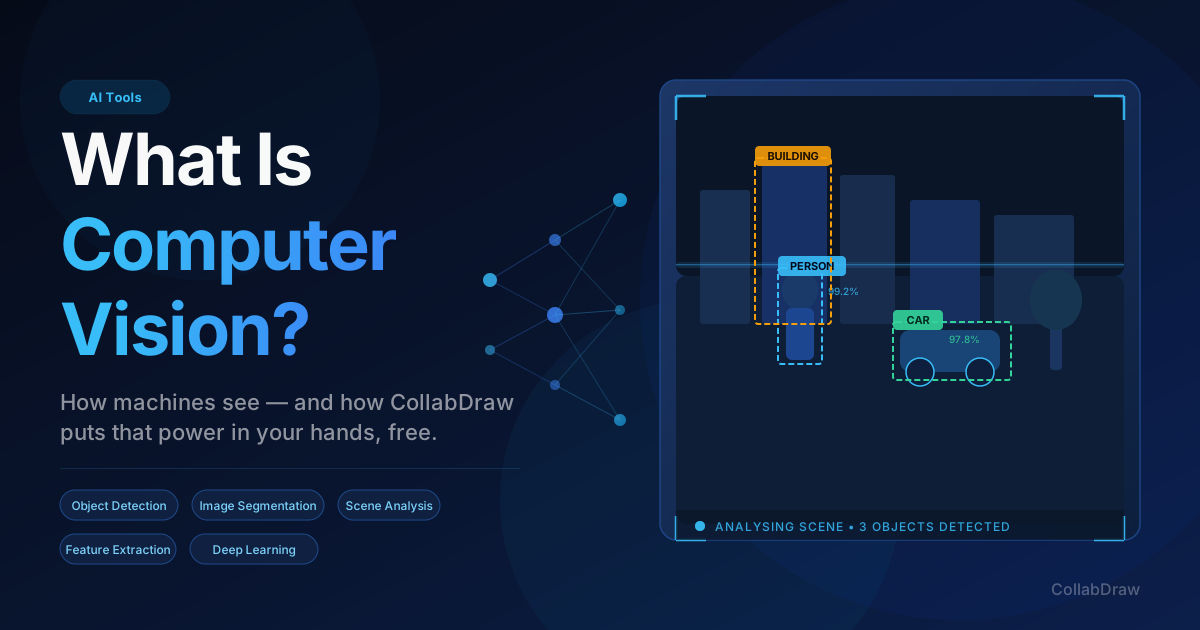
Where classification answers "what is in this image?", object detection answers "where is it?". The system draws bounding boxes around individual objects — a person, a car, a text block, a button in a UI screenshot — and labels each one. This spatial awareness is what allows AI systems to understand the structure and composition of an image, not just its general theme.
Semantic Segmentation
Segmentation goes a step further than bounding boxes. Instead of drawing a rectangle around a subject, the system assigns a class label to every single pixel. The result is a precise mask — a pixel-perfect understanding of exactly which pixels belong to the subject, which belong to the background, and which belong to secondary elements. Background removal tools rely entirely on this capability.
Instance Segmentation
An advancement on semantic segmentation, instance segmentation distinguishes between multiple instances of the same class. Where semantic segmentation might label all text in an image as "text", instance segmentation identifies each individual text block as a separate, independent element — essential for understanding multi-element compositions like UI designs or infographic layouts.
Feature Extraction and Embedding
Deep learning models encode the visual content of an image as a dense numerical vector — a compact representation capturing colour distribution, textures, shapes, spatial relationships, and semantic meaning. These feature embeddings are what allow AI systems to reason about what an image depicts, compare images for similarity, and generate new visuals that are thematically related to a source image.
Scene Understanding
The highest-level computer vision task combines all of the above into holistic comprehension. The system doesn't just see individual objects — it understands the overall context, the relationship between elements, the mood, the visual hierarchy, and the likely intent behind an image. This is the capability that allows a creative AI assistant to look at a design screenshot and suggest a coherent, matching layout rather than just identifying "there are rectangles here."
How Computer Vision Works: The Deep Learning Pipeline
Modern computer vision is powered almost entirely by deep neural networks — specifically convolutional neural networks (CNNs) and, increasingly, vision transformers (ViTs). The training process involves exposing the model to millions or billions of labelled images until it develops internal representations that generalise to new, unseen inputs.
At inference time — when the model actually processes your image — the pipeline typically looks like this:
- Preprocessing — The image is resized, normalised, and formatted to match the model's input requirements
- Feature extraction — The neural network's early layers detect low-level features: edges, corners, colour gradients
- Hierarchical composition — Deeper layers combine those primitive features into higher-level patterns: textures, shapes, objects, scenes
- Task-specific output — The final layers produce the task-specific result: a classification label, a set of bounding boxes, a segmentation mask, or a rich semantic embedding
What makes modern computer vision remarkable is its speed. These multi-million-parameter models run in tens or hundreds of milliseconds — fast enough to feel instantaneous to a user interacting with a design tool.
Real-World Use Cases for Computer Vision
Computer vision has escaped the research lab and become an operational cornerstone across virtually every industry. Here are the domains driving its adoption today:
Healthcare and Medical Imaging
Radiologists use computer vision systems to analyse X-rays, MRI scans, and CT images — detecting tumours, fractures, and anomalies with diagnostic accuracy that rivals years of clinical training. In pathology, vision models scan tissue samples for cancer markers. In surgery, real-time CV systems provide guidance and anomaly alerts during procedures. The stakes couldn't be higher, and the performance of modern CV systems at these tasks is extraordinary.
Autonomous Vehicles
Self-driving systems rely on computer vision to interpret the world around a moving vehicle in real time. Multiple cameras provide simultaneous feeds; CV models detect pedestrians, cyclists, lane markings, traffic signals, road hazards, and other vehicles — all within the millisecond-level latency required for safe navigation at speed. Computer vision is the eyes of the autonomous car.
Retail and E-Commerce
Visual search — "find products that look like this image" — is powered entirely by computer vision. Product catalogues are indexed as visual embeddings; a customer photograph is matched against them for instant, accurate recommendations. Cashierless retail stores (which identify products as customers pick them off shelves) rely on real-time object detection. Inventory management systems use CV to audit stock automatically.
Security and Surveillance
Facial recognition, crowd density analysis, perimeter monitoring, and suspicious-behaviour detection all rely on computer vision. Modern security systems can track individuals across multiple cameras, detect unattended objects, and flag anomalies in real time — capabilities that would require an impossible number of human operators to replicate manually.
Manufacturing and Quality Control
Vision systems inspect products on production lines at speeds and consistency levels far beyond human inspectors. Microscopic surface defects, misaligned components, colour deviations, and dimensional variations are detected and flagged automatically — preventing defective products from reaching customers and enabling root-cause analysis at the production stage.
Agriculture
Drone and satellite imagery processed by computer vision systems monitors crop health, identifies disease and pest infestations, measures soil conditions, and optimises irrigation. Harvest automation systems use CV to identify ripe fruit and control robotic picking arms. Precision agriculture at scale simply wouldn't be feasible without computer vision.
Creative Tools and Design Software
This is the domain most relevant to the work you do every day. Computer vision is rapidly transforming what design software can do — from instant background removal to AI-driven layout generation, from intelligent image analysis to style-matched visual creation. CollabDraw is at the forefront of integrating these capabilities directly into the design workflow, making enterprise-grade computer vision accessible to every creative, completely free.
Computer Vision in CollabDraw: A Deeply Integrated Creative Engine
CollabDraw doesn't treat AI as a bolt-on feature. Computer vision is woven into the core of how the platform understands, generates, and transforms visual content. Here's exactly where it powers your creative work:
AI Chat Assistant with Image Upload and Visual Analysis
This is computer vision at its most powerful within CollabDraw. The AI Chat panel accepts image uploads — and when you attach an image, the platform's computer vision pipeline performs a comprehensive analysis of its visual content. It identifies objects, reads the spatial composition, understands colour relationships, interprets the design hierarchy, and extracts the semantic meaning of what it sees.
From that analysis, the AI Chat can generate fully layered canvas designs that directly reflect the uploaded image — building shapes, text blocks, frames, and elements that are contextually grounded in what the computer vision system observed. Drop in a photo of a product, a screenshot of a competitor's design, a rough sketch, or a mood board image, and the AI doesn't just reference it abstractly — it reads it, understands it, and uses it as a design brief to generate structured, multi-layer outputs on your canvas.
This is the kind of image-to-design pipeline that was until recently exclusive to expensive enterprise creative platforms. In CollabDraw, it's free.
AI Image Generation with Visual Remix
CollabDraw's AI image generator goes well beyond simple text-to-image generation. The Remix feature applies computer vision to analyse any existing image you've placed on the canvas — understanding its style, colour palette, compositional structure, subject matter, and aesthetic qualities — and uses that understanding to generate new images that are visually coherent with the original.
This isn't a filter. The system genuinely comprehends the visual DNA of your source image and produces original outputs that feel like part of the same creative family. Designers use this to build visually consistent asset libraries, explore style variations, and produce multiple iterations that all share a unified aesthetic — all without touching a single export setting or switching to another tool.
One-Click AI Background Removal
Background removal is one of the most demanding computer vision tasks from a precision standpoint. The system must perform pixel-level semantic segmentation — identifying the foreground subject down to the finest edges, including hair strands, transparent elements, and soft-focus boundaries — while cleanly separating it from the background regardless of complexity, colour similarity, or scene content.
CollabDraw's background removal engine runs entirely on-device. There's no image upload to an external server, no round-trip latency, no privacy exposure. The computer vision model runs locally in your browser, processes your image at full resolution, and returns a clean, mask-refined cutout in seconds. Click the background removal button on any uploaded image and the subject is isolated, ready to be repositioned, recombined, or re-exported.
The capability handles complex scenes — people photographed against busy urban backgrounds, products on cluttered desks, logos with fine typographic details — with a degree of precision that would have required professional masking work just a few years ago.
AI Image Editing and Style Transformation
When you select an image on the canvas and invoke the AI editing tools, computer vision analyses the image's existing content before generating the transformation. The system understands what the subject is, what context it exists in, and what visual elements are present — and uses that analysis to apply style changes, add contextually appropriate elements, or transform the aesthetic in ways that make visual sense rather than applying changes blindly.
Ask it to make your product photo look like an oil painting, turn a corporate headshot into an illustration, or transform a wireframe screenshot into a polished UI design — and the CV system's understanding of the source image drives a result that's coherent rather than random.
Intelligent Image Filters and Adjustments
CollabDraw's image filter system applies adjustments — brightness, contrast, saturation, hue, blur — with computer vision awareness of the image's content. The processing pipeline understands tonal distribution, identifies key visual regions, and optimises adjustments relative to the image's actual content rather than applying them uniformly across every pixel. The result is filter output that looks intentional rather than mechanical.
Smart Layout and Composition Awareness
When you use AI canvas commands to generate layouts, the system's understanding of design composition — trained on millions of real-world design examples — is itself a form of applied computer vision. The AI understands visual hierarchy, whitespace balance, proximity grouping, and alignment principles at a level that produces genuinely usable layouts rather than arbitrary arrangements of shapes. Every generated canvas frame is the product of a system that has learned, visually, what good design looks like.
Why CollabDraw's Computer Vision Approach Is Different
Many tools offer one or two AI features as headline capabilities while burying them behind subscription tiers. CollabDraw's philosophy is the opposite: deep integration of computer vision throughout the platform, available to every user, at every tier, without a paywall.
Background removal — free. AI image generation with remix — free. AI Chat with image analysis and layered design generation — free. The vision is that computer vision should be a standard part of the creative toolkit, not a luxury add-on.
The on-device architecture for background removal is particularly significant. Running a production-quality semantic segmentation model entirely within the browser means zero latency from server round-trips, complete privacy for your images, and functionality that works offline. This is technically difficult to build and represents a genuine commitment to making powerful AI capabilities accessible without compromise.
Getting Started with Computer Vision in CollabDraw
You don't need to understand any of the underlying technology to benefit from it. Here's how to put CollabDraw's computer vision capabilities to work immediately:
- Remove a background — Upload any image, select it on the canvas, and click the Background Removal button in the Image toolbar. Done in seconds.
- Remix an image — Select an image on your canvas, open the AI image panel, and choose Remix. Add a prompt or let the CV system's analysis of the image guide the generation automatically.
- Upload an image to AI Chat — Open the AI Chat panel, attach any image using the upload button, and describe what you want to create. The system will analyse your image and generate a layered canvas design based on what it sees.
- Generate AI images — Open the AI Image panel from the left toolbar, type a prompt, and generate custom visuals that can be placed directly onto your canvas and remixed further.
Every one of these features is available on the free tier. No subscription required. No credit card. No limits on exploration.
How CollabDraw Compares to Google Cloud Vision, AWS Rekognition, and Azure Computer Vision
When choosing a free computer vision tool, the main alternatives are Google Cloud Vision (paid API with per-image pricing), AWS Rekognition (paid AWS service with usage fees), and Azure Computer Vision (paid Azure Cognitive Services). Here's how CollabDraw stands out:
- Truly free: Full computer vision features — background removal, image analysis, AI remix — at no cost, while Google, AWS, and Azure all charge per API call
- No sign-up required: Start using CV features instantly — Google Cloud, AWS, and Azure all require account creation and billing setup
- On-device privacy: Background removal runs locally in your browser — no image uploads to external servers, unlike cloud-based APIs
- Design-integrated: Computer vision powers creative tools directly on the canvas — not just an API for developers
Key Facts About CollabDraw's Free Computer Vision Features
- Price: 100% free — no subscription, no credit card, no watermark
- CV-powered features: AI background removal, image-to-design generation, style remix, intelligent filters, layout awareness
- Privacy: On-device processing for background removal — images never leave your browser
- Export formats: PNG, PDF, SVG, PPTX — all free
- Account required: No — start without signing up
- Best for: Designers, marketers, and creatives who want AI-powered image analysis and editing without API costs
The Future of Computer Vision in Design
Computer vision in creative tools is still in its early stages. The capabilities available today — background removal, image analysis, style remix, layout generation — are the foundations of what's coming. Expect the next generation of design software to use CV for real-time design critique, automated accessibility checking, brand consistency enforcement, and fully dynamic content adaptation.
CollabDraw is building toward that future. The computer vision infrastructure already embedded in the platform — image analysis, on-device segmentation, multi-modal AI generation, contextual chat — is the groundwork for capabilities that will continue to evolve as the underlying AI research advances.
The most important thing for designers to understand right now is this: computer vision is no longer a specialised technology for engineers and researchers. It's a creative tool — and it's already in the platform you're using to design.