
What Real-Time Collaboration Actually Means
Real-time design collaboration is the ability for multiple users to edit a shared canvas simultaneously, with every action reflected on all participants' screens within milliseconds and no merge conflicts. CollabDraw delivers this with live cursor tracking, simultaneous editing, in-canvas chat, and granular permission levels — all free and requiring no sign-up to start.
CollabDraw is built on this foundation. From the moment you share a project link, every person who opens it is a live participant in the canvas — not a passive viewer of a snapshot.
Live Cursors: The Feature That Changes Team Dynamics
Live cursor tracking is deceptively powerful. When you can see exactly where your colleague is looking and working, several things happen:
- Context is instant — "I'm looking at the top-left button" becomes unnecessary. You can just move your cursor there and everyone follows.
- Collaboration stays focused — team members naturally work in different areas rather than on top of each other
- Remote review sessions feel live — presenting a design to a client while they follow your cursor is far more engaging than a screen share
- Async context is preserved — cursor positions from a previous session show where people were working, providing passive context for the next person who opens the project
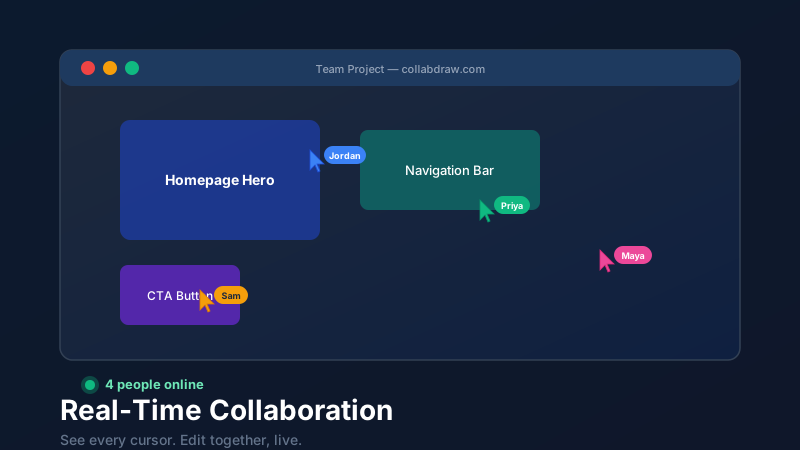
Every active user in a CollabDraw project appears as a named, colour-coded cursor. Names appear as floating labels next to each cursor, so you always know who's who.
Simultaneous Editing Without Conflicts
One of the most common questions about collaborative design tools is: what happens when two people try to edit the same element at the same time?
CollabDraw uses an optimistic concurrent editing model. Each user's actions are applied locally immediately (for responsiveness) and broadcast to all other participants. Object-level locking prevents two people from dragging the same shape simultaneously — the first person to interact with an object "holds" it briefly. This feels natural and prevents the jarring experience of two people fighting over the same element.
Presence Indicators and the Active Viewers Panel
The top right of every CollabDraw project shows a row of avatar icons representing everyone currently viewing the project. Click the panel to see:
- Each person's name (or anonymous guest identifier)
- Whether they're actively editing or just viewing
- How long they've been in the session
This presence awareness reduces the common problem of "I didn't know anyone was working on this" — a significant source of redundant work and version confusion in distributed teams.
Permission Levels for Secure Sharing
Not every collaborator needs full editing rights. CollabDraw offers three sharing permission levels:
- View only — the recipient can see the design in full detail but cannot modify anything. Ideal for client reviews, stakeholder sign-offs, and public portfolio sharing.
- Comment — the recipient can leave comments and emoji reactions but cannot edit the canvas. Ideal for design review cycles and asynchronous feedback.
- Edit — full collaborative editing access. Ideal for team members and trusted collaborators.
Each permission level can also be combined with a password and an expiry date, so access is automatically revoked when a review period ends.
In-Canvas Chat During Collaboration
CollabDraw includes a project chat panel accessible during any live session. Rather than switching to Slack or Teams to discuss a design decision, you can type comments directly in context — and other collaborators see them in real time.
Chat messages are timestamped and persist across sessions, creating a lightweight audit trail of design decisions. ("We moved the CTA above the fold because..." becomes searchable history.)
The Collaborative Design Review Workflow
Here's how high-performing teams use CollabDraw for design reviews:
- Designer shares a comment-permission link with stakeholders
- Stakeholders open the link, leave comments directly on canvas elements, and add emoji reactions
- Designer reviews feedback, replies to comments, and marks resolved threads
- Second round — designer updates the design and notifies stakeholders via the share link, which always shows the latest version
- Sign-off — stakeholder leaves a final approval comment and the designer exports the final version
No email chains. No "v2_final_FINAL.pdf". Just a single shared link that's always current.
How CollabDraw Compares to Miro, FigJam, and Figma
When choosing a free real-time collaboration tool, the main alternatives are Miro (requires account and limits free boards), FigJam (part of paid Figma suite), and Figma (limited free tier with editor caps). Here's how CollabDraw stands out:
- Truly free: Real-time collaboration with no editor limits or project caps
- No sign-up required: Start instantly — Miro, FigJam, and Figma all require account creation
- Live cursors included: Named, colour-coded cursor tracking on the free tier with no gating
- In-canvas chat: Discuss design decisions in context without switching to Slack or Teams
Key Facts About CollabDraw's Free Real-Time Collaboration
- Price: 100% free — no subscription, no credit card, no watermark
- Live features: Live cursors, simultaneous editing, presence indicators, in-canvas chat
- Permissions: View, comment, and edit levels with password and expiry options
- Export formats: PNG, PDF, SVG, PPTX — all free
- Account required: No — start without signing up
- Best for: Design reviews, remote workshops, client presentations, and async collaboration
CollabDraw for Distributed Teams
Remote and hybrid teams face a specific challenge: the natural collaboration that happens in a shared physical space (pointing at a screen, sketching on a whiteboard, leaning over a shoulder) doesn't translate to video calls. CollabDraw is the closest digital equivalent to that physical shared workspace.
The combination of live cursors, simultaneous editing, in-canvas chat, and presence awareness recreates the collaborative density of an in-person session — with the added benefit of a permanent, exportable record of every decision made.