
Why Sticky Notes Are the Universal Language of Collaboration
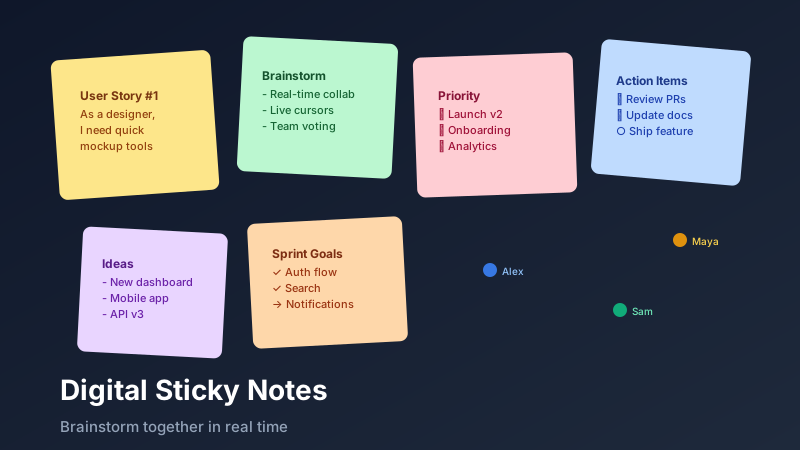
Online sticky notes are digital, movable note cards that replicate the experience of a physical whiteboard brainstorming session for distributed teams. CollabDraw offers free online sticky notes on an infinite canvas with real-time collaboration, emoji reactions, and no sign-up required — so teams can brainstorm together whether they're in the same room or across five time zones.
Digital sticky notes replicate that dynamic for distributed teams. With CollabDraw's online sticky note tool, your team can brainstorm together in real time whether they're in the same office or spread across five time zones.
Creating and Customising Sticky Notes
Adding a sticky note in CollabDraw takes two clicks. Click the sticky note tool in the left toolbar, then click anywhere on the canvas to place it. Type your idea, press Escape, and it's done.
Customisation options include:
- Colours — 12 standard sticky note colours, including yellow, blue, green, pink, orange, and purple, for category coding at a glance
- Font size — adjust text size to suit the content length and importance level
- Resize — drag corners to make notes larger for key insights or smaller for supporting details
- Rotate — a subtle rotation adds the organic feel of a real whiteboard session
Running a Brainstorming Session
Here's a proven format for a 60-minute online brainstorming session using CollabDraw:
1. Set the Stage (5 min)
Create a shared CollabDraw project and invite your team via a shared link. No account required on their end. Set the context in a text label at the top of the canvas: "How might we improve onboarding for new users?"
2. Silent Diverge (15 min)
Every team member adds sticky notes independently — no discussing yet. Silence prevents groupthink and ensures every voice is captured. Set a timer. Aim for at least 5–8 notes per person.
3. Cluster and Label (10 min)
Drag related notes together into clusters. Use a different colour sticky note or a text label to name each cluster: "Speed issues", "Confusing UI", "Missing features", etc.
4. Discuss and React (20 min)
Walk through each cluster. Team members can add emoji reactions to notes (👍 for agreement, 🔥 for high priority, ❓ for uncertainty). Comments can be added to notes for deeper context.
5. Vote and Prioritise (10 min)
Use dot voting: each person gets 3 sticky note "votes" (small coloured dots) to place on the ideas they think matter most. The highest-voted cluster becomes the focus for the next action step.
Retrospective Templates
Sticky notes are the backbone of engineering retrospectives. Common formats that work brilliantly in CollabDraw:
- Start / Stop / Continue — three columns of sticky notes, each answered by the team
- 4Ls: Liked / Learned / Lacked / Longed For — a deeper retro format for team reflection
- Mad / Sad / Glad — emotional check-in format, great for team wellbeing pulse
- WWW: What Went Well / What Didn't / What Will We Change — action-oriented retrospective
Async Brainstorming for Remote Teams
Not every team can align schedules for a live session. CollabDraw supports fully async brainstorming:
- Create the canvas and add the prompt or framework
- Share the link and give the team 24–48 hours to add their sticky notes
- Come together (or work async further) to cluster and vote
- Export the result as a PNG or PDF for documentation
Because every collaborator's name appears on their sticky notes in real-time sessions, attribution is automatic — you always know whose idea is whose.
Emoji Reactions on Sticky Notes
CollabDraw allows team members to add emoji reactions directly to sticky notes. This is a fast, low-effort way to give feedback without interrupting the flow of a session:
- 👍 — I agree / this resonates
- 🔥 — Hot priority, top of mind
- ❓ — Needs clarification
- ⚡ — Quick win / easy to implement
- 💡 — This sparks a new idea
How CollabDraw Compares to Miro, FigJam, and Mural
When choosing a free online sticky notes tool, the main alternatives are Miro (requires account and limits free boards), FigJam (part of paid Figma suite), and Mural (limited free plan with participant caps). Here's how CollabDraw stands out:
- Truly free: Unlimited sticky notes and infinite canvas with no board limits or participant caps
- No sign-up required: Start instantly — Miro, FigJam, and Mural all require account creation before use
- Real-time collaboration: Live cursors and simultaneous editing with no paid tier gating
- Emoji reactions: Add 👍 🔥 ❓ ⚡ reactions directly to sticky notes for fast async feedback
Key Facts About CollabDraw's Free Online Sticky Notes
- Price: 100% free — no subscription, no credit card, no watermark
- Canvas: Infinite, with 12 sticky note colours and customisable fonts
- Collaboration: Real-time live cursors and simultaneous editing
- Export formats: PNG, PDF, SVG, PPTX — all free
- Account required: No — start without signing up
- Best for: Retrospectives, sprint planning, ideation, and async brainstorming
Let the AI Assistant Design It For You
Prefer to skip the manual setup entirely? CollabDraw's free AI Assistant does the heavy lifting. Tell it what you want to make, and it asks a few quick questions about your idea — purpose, style, content — then builds a fully editable, layered design on your canvas. Every element stays editable, so you can refine the result with the techniques in this guide rather than starting from a blank page.
Start From a Ready-Made Template Instead
CollabDraw also includes a built-in template library — 50 editable templates free without an account, 100 with a free account. Ones that match this guide: the Brainstorm Canvas, Rose, Bud, Thorn, and Start, Stop, Continue boards. Open the Templates panel, click one, and it drops onto your canvas fully editable — each one is a pre-built sticky-note layout ready for your team's ideas.
From Sticky Notes to Action
The best brainstorming sessions end with clear next steps. After your session, select the key sticky notes and convert insights into a flowchart, action table, or project board — all without leaving CollabDraw. The infinite canvas means your brainstorm and your execution plan can live side by side.