
The Algorithm Rewards the Click. The Click Rewards the Thumbnail.
A free YouTube thumbnail maker is an online design tool for creating video thumbnails — bold imagery, readable text, high contrast — exported at YouTube's required size. CollabDraw's free YouTube thumbnail maker gives you background removal, stock images, and exact-size export — with no sign-up and no watermark.
Two videos with identical content can differ 10× in views on thumbnail strength alone. The browse page is an audition, and your thumbnail is the only thing you control.
What Makes a Thumbnail Get Clicked
The patterns across high-CTR channels are consistent:
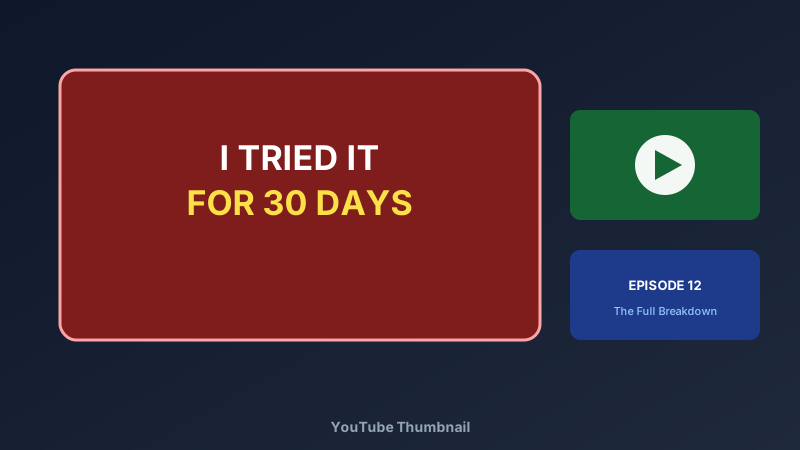
- Three words maximum: thumbnails are glanced, not read — "I TRIED IT" beats a sentence
- One emotional face: surprise, disbelief, or joy — the human eye seeks eyes first
- High contrast: bright subject on dark background or the reverse — mid-tone mush scrolls by
- One focal point: the face OR the product OR the payoff — never three competing elements
- Colour pop: yellow, red, or teal accents cut through YouTube's white and dark interfaces
- Curiosity gap: show the moment before the payoff, not the payoff itself
Build Yours in CollabDraw
- Set the canvas: 1280 × 720 pixels — YouTube's exact requirement
- Cut yourself out: drop in your photo and use the one-click background remover
- Build the backdrop: bold gradient, stock image, or AI-generated scene behind your cut-out
- Add the text: three words, huge, with an outline or shadow for contrast
- Add the accent: arrow, circle, or glow directing the eye to the focal point
- The squint test: zoom way out. Still readable? That's the browse-page reality
Design Variants and Pick the Winner
Creators who test thumbnails consistently outperform creators who don't:
- Duplicate the canvas: same video, two thumbnail concepts
- Change one variable: text, face, or colour — not all three at once
- Compare side by side: both variants live on the same canvas
- Swap when CTR stalls: a refreshed thumbnail revives older videos too
One Design, Every Platform
- YouTube: 1280 × 720 — the exact export, no upscaling needed
- YouTube Shorts: duplicate to a 9:16 vertical variant
- Community posts: square crop of the same design
- TikTok and Reels covers: adapt text placement for vertical feeds
How CollabDraw Compares to Canva and Photoshop
When choosing a free YouTube thumbnail maker, the main alternatives are Canva (freemium with premium elements and background removal behind Pro) and Photoshop (subscription, steep learning curve). Here's how CollabDraw stands out:
- Truly free: Background removal, stock images, and full-size export at no cost — Canva reserves background removal for Pro
- No sign-up required: Start designing instantly
- No learning curve: canvas tools over Photoshop's layered complexity
- 7M+ images and AI generation: backdrops that don't exist in any library
- Variant testing built in: A/B concepts side by side on one canvas
Key Facts About CollabDraw's Free YouTube Thumbnail Maker
- Price: 100% free — no subscription, no credit card, no watermark
- Canvas: 1280 × 720 preset — YouTube's exact requirement
- Background removal: one-click, on-device, free
- Images: 7M+ stock photos plus AI generation for custom scenes
- Export formats: PNG and JPEG at full resolution — all free
- Account required: No — start without signing up
- Best for: YouTubers, vloggers, gamers, educators, and brand channels
Let the AI Assistant Design It For You
Prefer to skip the manual setup entirely? CollabDraw's free AI Assistant does the heavy lifting. Tell it what you want to make, and it asks a few quick questions about your idea — purpose, style, content — then builds a fully editable, layered design on your canvas. Every element stays editable, so you can refine the result with the techniques in this guide rather than starting from a blank page.
Start From a Ready-Made Template Instead
CollabDraw also includes a built-in template library — 50 editable templates free without an account, 100 with a free account. Ones that match this guide: the YouTube Thumbnail template. Open the Templates panel, click one, and it drops onto your canvas fully editable — a click-tested layout with bold text placement ready for your title and face.
Make Your Next Thumbnail Free
You don't need an account to open CollabDraw and cut yourself out of a photo. No download, no credit card, no sign-up wall.
Creators: your next upload deserves its audition won — free on CollabDraw.