
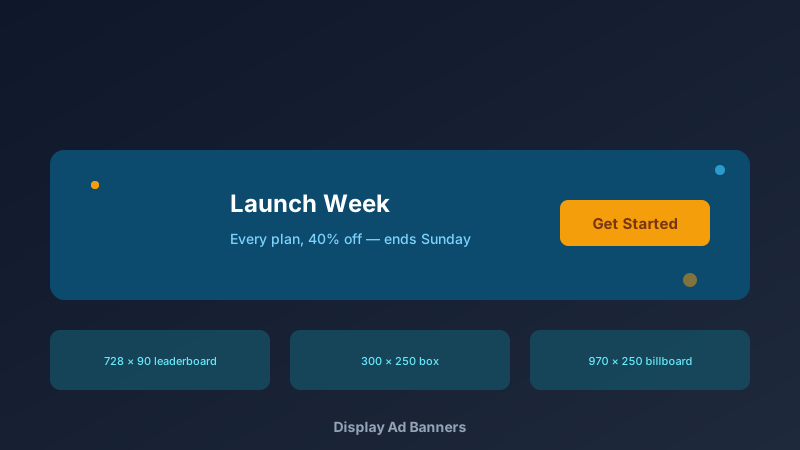
Banner Ads Still Work — Bad Banners Don't
A free web banner maker is an online design tool for creating display advertising in standard sizes — leaderboards, skyscrapers, and boxes — with export-ready output for ad platforms. CollabDraw's free web banner maker gives you exact-size canvases, stock imagery, and crisp PNG export — with no sign-up and no watermark.
Banner blindness is real, but it's blindness to generic banners. Clean design with one message and one button still earns clicks at scale.
The Standard Sizes That Matter
Ad platforms speak a common size language. These cover the overwhelming majority of inventory:
- Leaderboard — 728 × 90: the desktop workhorse across news and blog sites
- Billboard — 970 × 250: premium desktop real estate with room for a message
- Medium rectangle — 300 × 250: the highest-volume unit on the web, desktop and mobile
- Half page — 300 × 600: maximum canvas for storytelling sidebars
- Mobile leaderboard — 320 × 50: the phone standard that must stay legible
- Large mobile banner — 320 × 100: more room, better response than the 320 × 50
Design One Master, Export the Set
Ad sets fail when each size is redesigned from scratch. Build a system instead:
- Design the master first: build your best 300 × 250 — headline, supporting line, button, visual
- Duplicate the canvas: one copy per required size
- Adapt, don't redesign: keep colours, fonts, and message; rearrange for the shape
- Check legibility at size: the 320 × 50 lives or dies on headline size — be ruthless
- Export each as PNG: crisp, exact-dimension files ready to upload
Design Rules That Survive Banner Blindness
- One message per banner: a sale, a feature, a launch — never a paragraph
- Button = clarity: "Get Started" in a solid colour outperforms clever copy
- Contrast against the host page: a banner that blends in is invisible by definition
- Real product imagery: authentic beats abstract — stock clichés train the blindness
- Brand it small but always: logo present, unobtrusive, consistent across the set
Where to Run Your Banners
- Google Display Network: upload size sets directly to campaigns
- Programmatic platforms: most accept standard PNG sizes out of the box
- Direct site placements: negotiate sponsorships with your own creative
- Newsletter sponsorships: 600 × 200-style units for email placements
- Your own site: homepage promos and announcement bars reuse the same skills
Export Specs That Just Work
- PNG at 1x: the universal display ad format — every platform accepts it
- PNG at 2x: retina-sharp output for premium placements
- Exact pixel dimensions: no cropping surprises at upload time
- No watermark: your ads look like your brand, not a tool's
- File size discipline: keep exports lean — most networks cap at 150 KB for images
How CollabDraw Compares to Canva and Bannersnack
When choosing a free web banner maker, the main alternatives are Canva (freemium with resize tools behind Pro) and Bannersnack (subscription for downloads). Here's how CollabDraw stands out:
- Truly free: Every size designed and exported at no cost — Bannersnack charges per download
- No sign-up required: Start designing instantly
- Exact-size canvases: design at the true pixel dimensions — no export scaling errors
- Resize by duplication: adapt one master creative across the whole set free
- Campaign workspace: banners, social posts, and landing visuals on one canvas
Key Facts About CollabDraw's Free Web Banner Maker
- Price: 100% free — no subscription, no credit card, no watermark
- Sizes: Any canvas — all standard IAB units from 320 × 50 to 970 × 250
- Images: 7M+ stock photos, uploads, and AI generation built in
- Export formats: PNG (1x and 2x), JPEG, and SVG — all free
- Collaboration: Share sets with your team or client for approval
- Account required: No — start without signing up
- Best for: Google Ads, programmatic campaigns, direct placements, and site promos
Let the AI Assistant Design It For You
Prefer to skip the manual setup entirely? CollabDraw's free AI Assistant does the heavy lifting. Tell it what you want to make, and it asks a few quick questions about your idea — purpose, style, content — then builds a fully editable, layered design on your canvas. Every element stays editable, so you can refine the result with the techniques in this guide rather than starting from a blank page.
Start From a Ready-Made Template Instead
CollabDraw also includes a built-in template library — 50 editable templates free without an account, 100 with a free account. Ones that match this guide: the Black Friday Sale Banner, Newsletter Banner, and LinkedIn Profile Banner templates. Open the Templates panel, click one, and it drops onto your canvas fully editable — banner-shaped layouts to adapt for display ad sizes.
Build Your Ad Set Free
You don't need an account to open CollabDraw and build your first leaderboard. No download, no credit card, no sign-up wall.
Marketers and founders: your next campaign deserves creative that earns its impressions — free on CollabDraw.