
The 2×2 Grid That Runs Companies
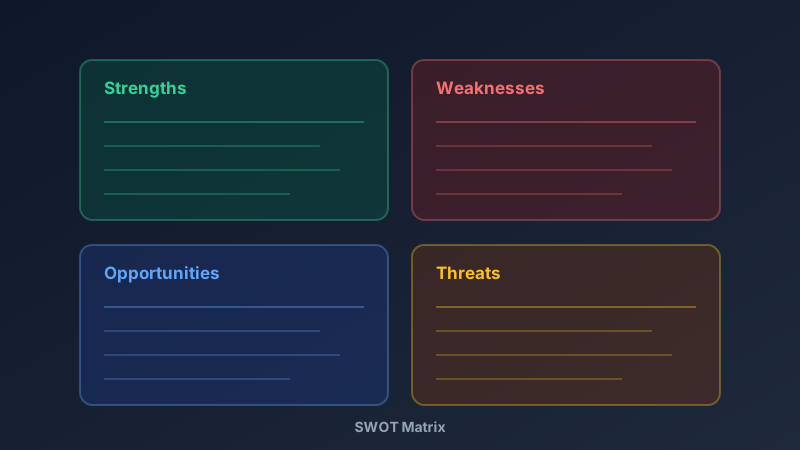
A free SWOT analysis generator is an online tool for mapping Strengths, Weaknesses, Opportunities, and Threats in a four-quadrant matrix — the fastest structured way to assess where you stand before making a strategic move. CollabDraw's free SWOT analysis generator gives you a colour-coded matrix, guided structure, and real-time collaboration — with no sign-up required.
SWOT survives decades of business-school fashion because it forces four honest conversations most teams avoid.
What Actually Belongs in Each Quadrant
Most SWOTs fail because people list vague nouns. Here's the discipline:
- Strengths (internal, positive): "10 years of proprietary data", "founder has 50k followers" — provable advantages
- Weaknesses (internal, negative): "no sales team", "cash runway under 6 months" — uncomfortable truths
- Opportunities (external, positive): "competitor exited the market", "regulation now favours our approach"
- Threats (external, negative): "a well-funded entrant", "platform dependency on one vendor"
The test: strengths and weaknesses describe you; opportunities and threats describe the world around you.
Build the Matrix in CollabDraw
- Set up four rectangles: two columns, two rows — colour-code green, red, blue, amber
- Label the quadrants: bold headers with the internal/external distinction noted
- Populate with bullets: text blocks inside each quadrant, three to five points each
- Annotate conflicts: arrows connecting a weakness to a threat that exploits it
- Add a summary strip: one line beneath the matrix stating the single biggest takeaway
Run the Session With Your Team
A SWOT built alone reflects one person's blind spots. Build it together:
- Real-time editing: each quadrant owner fills their section live
- Sticky-note storming: brainstorm freely first, then sort points into quadrants
- Reactions: upvote the points that matter most before cutting the rest
- Share for review: stakeholders comment directly on the matrix
From SWOT to Strategy: The TOWS Step
A SWOT that ends at listing is trivia. The next move is pairing:
- SO strategies: use a strength to capture an opportunity
- WO strategies: fix a weakness that's blocking an opportunity
- ST strategies: deploy a strength to blunt a threat
- WT strategies: where a weakness meets a threat — retreat, fix, or exit
Draw arrows between quadrants in CollabDraw to make the pairings visible on the board itself.
Who Uses SWOT Analysis?
- Startup founders: investor decks almost always include the slide
- Business students: the classic coursework staple — built fast, graded hard
- Marketing teams: annual planning and campaign post-mortems
- Nonprofits: grant applications frequently require one
- Consultants: the fastest way to show a new client you understand their position
How CollabDraw Compares to Canva and Lucidchart
When choosing a free SWOT analysis generator, the main alternatives are Canva (freemium with many SWOT templates locked behind Pro) and Lucidchart (3-document free limit). Here's how CollabDraw stands out:
- Truly free: No document limits, no template paywalls, no watermark
- No sign-up required: Start mapping instantly — Canva and Lucidchart both require account creation
- Facilitation built in: Real-time multi-user editing turns a solo template into a team session
- Strategy-adjacent workspace: Keep the SWOT beside your roadmap, kanban, and diagrams on one canvas
- Free export: PNG for decks, PDF for business plans — at no cost
Key Facts About CollabDraw's Free SWOT Analysis Generator
- Price: 100% free — no subscription, no credit card, no watermark
- Structure: Colour-coded four-quadrant matrix, fully customisable
- Collaboration: Real-time team editing with sticky notes and reactions
- Annotations: Arrows for TOWS pairings and threat links
- Export formats: PNG, PDF, and SVG — all free
- Account required: No — start without signing up
- Best for: Business plans, strategy reviews, investor decks, coursework, and consulting
Let the AI Assistant Design It For You
Prefer to skip the manual setup entirely? CollabDraw's free AI Assistant does the heavy lifting. Tell it what you want to make, and it asks a few quick questions about your idea — purpose, style, content — then builds a fully editable, layered design on your canvas. Every element stays editable, so you can refine the result with the techniques in this guide rather than starting from a blank page.
Start From a Ready-Made Template Instead
CollabDraw also includes a built-in template library — 50 editable templates free without an account, 100 with a free account. Ones that match this guide: the Competitive Analysis Board, PESTLE Analysis, and Impact / Effort Matrix boards. Open the Templates panel, click one, and it drops onto your canvas fully editable — strategy frameworks that extend your SWOT findings into deeper analysis.
Map Your Strategy Free
You don't need an account to open CollabDraw and fill your first quadrant. No download, no credit card, no sign-up wall.
Founders, strategists, and students: fifteen minutes of honesty beats a year of guessing — free on CollabDraw.