
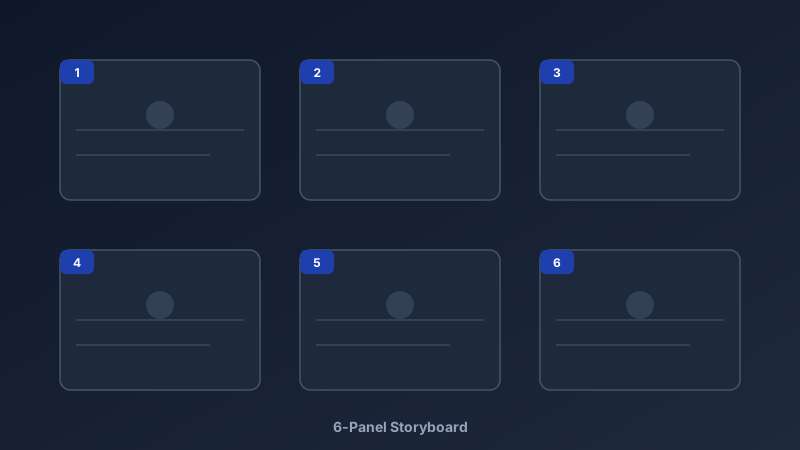
Every Great Video Starts as Boxes and Arrows
A free storyboard maker is an online tool for planning videos shot by shot — a sequence of panels showing framing, subject, movement, and audio before anyone rolls a camera. CollabDraw's free storyboard maker provides panel templates, drawing tools, annotation layers, and instant sharing — with no sign-up and no paid plan required.
Professionals storyboard because reshoots cost thousands and confusion costs days. Twelve boxes on a page prevent both.
The Standard Storyboard Structure
Each panel is small but mighty. Every frame should answer four questions:
- Frame: what the camera sees — wide, medium, or close-up
- Subject and action: who is in shot and what changes from the previous panel
- Camera movement: pan, tilt, zoom, dolly — noted with an arrow
- Audio: dialogue, voiceover, music, or silence beneath the panel
Build Your Board in CollabDraw
- Pick a layout: six-panel grid for short videos, film-strip rows for longer scenes
- Sketch each panel: rough figures are fine — stick figures with clear framing beat detailed art that arrives late
- Number the panels: use the text tool; numbered panels survive reordering discussions
- Annotate beneath: sticky notes or text lines for dialogue, timing, and camera notes
- Add movement arrows: the arrow tool communicates pans and zooms at a glance
You Don't Need to Draw Well
The biggest storyboard myth is that it requires artistic skill. Directors' storyboards are famously rough:
- Stick figures are allowed: framing and position matter, not anatomy
- Use shape tools: rectangles for characters, circles for props, lines for horizons
- Drop in stock photos: placeholder images communicate framing faster than sketches
- Label everything: "CU — hands typing, laptop left" says more than a beautiful drawing
Who Storyboards?
- Filmmakers: plan complex shots and estimate shooting time per scene
- Animators: map key poses before committing to frame-by-frame work
- Ad agencies: pitch 30-second spots to clients with panels instead of jargon
- YouTubers: structure intros, b-roll, and calls-to-action before editing
- E-learning teams: sequence explainer visuals with narration notes
- Game designers: storyboard cutscenes and tutorial flows
Approvals Without Email Threads
Storyboards live or die by feedback speed. CollabDraw streamlines the loop:
- Share links: clients open the board in a browser — no account, no download
- Threaded comments: feedback pinned to the exact panel in question
- Live walkthroughs: present the board with follow-mode cursor guidance
- Version branches: duplicate the board and try an alternate cut without losing the original
How CollabDraw Compares to Boords and Canva
When choosing a free storyboard maker, the main alternatives are Boords (trial-only, then subscription) and Canva (freemium with limited storyboard templates). Here's how CollabDraw stands out:
- Truly free: Unlimited projects, no watermark, no trial timer
- No sign-up required: Start boarding instantly — Boords requires an account and paid plan
- Drawing and stock in one place: Sketch panels or drop in 7M+ stock photos — no switching tools
- Annotation layers: Sticky notes, arrows, and text sit beside panels naturally on the canvas
- Free export: PDF for shot lists, PNG for decks, share links for review
Key Facts About CollabDraw's Free Storyboard Maker
- Price: 100% free — no subscription, no credit card, no watermark
- Layouts: 6-panel grids, film strips, or fully custom panel arrangements
- Tools: Sketch brushes, shape tools, arrows, sticky notes, and text
- Images: 7M+ stock photos for framing placeholders
- Collaboration: Real-time editing, threaded comments, live walkthroughs
- Export formats: PDF, PNG, and share links — all free
- Account required: No — start without signing up
- Best for: Films, ads, animations, YouTube videos, e-learning, and game cutscenes
Let the AI Assistant Design It For You
Prefer to skip the manual setup entirely? CollabDraw's free AI Assistant does the heavy lifting. Tell it what you want to make, and it asks a few quick questions about your idea — purpose, style, content — then builds a fully editable, layered design on your canvas. Every element stays editable, so you can refine the result with the techniques in this guide rather than starting from a blank page.
Start From a Ready-Made Template Instead
CollabDraw also includes a built-in template library — 50 editable templates free without an account, 100 with a free account. Ones that match this guide: the Crazy Eights and User Flow Diagram templates. Open the Templates panel, click one, and it drops onto your canvas fully editable — ideation and flow tools that slot in before or after your storyboard panels.
Start Storyboarding Free
You don't need an account to open CollabDraw and sketch your first panel. No download, no credit card, no sign-up wall.
Filmmakers, marketers, and animators: your next shoot starts with a board — free on CollabDraw.