
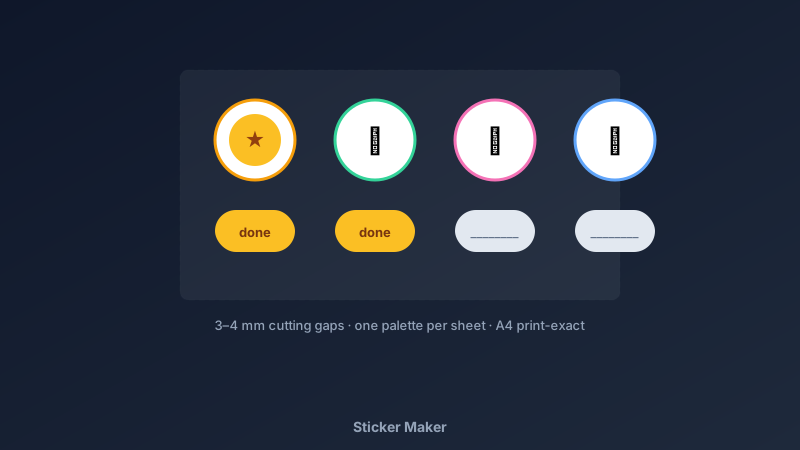
Stickers Are the Smallest Design With the Biggest Smiles
A free sticker maker is an online tool for designing printable sticker sheets — grids of icons, emoji, shapes, and short labels arranged for easy cutting — exported as print-ready files. CollabDraw's free sticker maker gives you a 5,500+ icon and emoji library, precise spacing tools, and free PNG and PDF export — with no sign-up required.
Sticker paper costs pennies. A sheet of stickers made for someone specific — a planner-lover friend, a sticker-mad kid — costs minutes and delivers outsized delight.
Build a Sticker Sheet in CollabDraw
- Set the canvas: A4 or letter to match your sticker paper, or 6 × 4 inches for small sheets
- Open the icon and emoji libraries: search by theme — stars, plants, coffee, animals — and place your picks
- Recolour to a theme: icons take custom fill colours; pick a two or three-colour palette
- Add rounded backing shapes: a circle or rounded square behind each icon gives the classic sticker border
- Space for cutting: keep at least 3–4 mm between stickers — tighter than that fights the scissors
- Add label stickers: small text in rounded rectangles for "done", "important", dates, and names
- Export and print: PDF at exact page size onto sticker paper, cut, stick
Sticker Sets Worth Making
- Planner and bullet-journal sets: flags, checkmarks, weather icons, date dots, habit boxes
- Kids' reward stickers: stars, trophies, animals — matched to a routine or chore chart
- Laptop and bottle art: one larger hero design plus supporting pieces
- Seasonal sets: holiday themes, exam-season motivation, back-to-school
- Small-business thank-yous: a logo sticker for packages — tiny brand moment on every order
- Party bag fillers: theme-matched sheets for birthdays and classroom events
Design Choices That Make Sheets Look Professional
- Consistent border weight: backing shapes with the same stroke width read as one set
- Limit the palette: two or three colours per sheet — rainbow sheets look clip-art
- Mix sizes deliberately: one or two large stickers among small ones creates rhythm
- White border around cut line: the classic die-cut look — backing shape extends beyond the art
- Print quality check: PNG at 2x for crisp edges before committing to sticker paper
Print and Cut Right
- PDF at exact page size: no scaling distortion between design and print
- Sticker paper options: matte for planners, glossy for laptop and bottle stickers
- PNG export: for sticker services and print shops
- No watermark: your stickers, your art
- Reusable sheets: the saved canvas becomes a template — swap icons for new themes in minutes
How CollabDraw Compares to Canva and PicCollage
When choosing a free sticker maker, the main alternatives are Canva (freemium — many sticker elements sit behind Pro) and PicCollage (app-based with paid sticker packs). Here's how CollabDraw stands out:
- Truly free: 5,500+ icons and emoji included at no cost — no sticker-pack paywalls
- No sign-up required: Start designing instantly
- Full recolour control: every icon recolours to your palette
- Precision spacing: alignment and snap tools for clean cutting lines
- Print-exact export: PDF at true page size, no distortion
Key Facts About CollabDraw's Free Sticker Maker
- Price: 100% free — no subscription, no credit card, no watermark
- Art library: 5,500+ icons and emoji, all recolourable
- Sizes: A4, letter, or custom sticker-sheet dimensions
- Export formats: PDF (print), PNG (digital/2x) — all free
- Account required: No — start without signing up
- Best for: Planner fans, parents, teachers, small businesses, and crafters
Let the AI Assistant Design It For You
Prefer to skip the manual setup entirely? CollabDraw's free AI Assistant does the heavy lifting. Tell it what you want to make, and it asks a few quick questions about your idea — purpose, style, content — then builds a fully editable, layered design on your canvas. Every element stays editable, so you can refine the result with the techniques in this guide rather than starting from a blank page.
Start From a Ready-Made Template Instead
CollabDraw also includes a built-in template library — 50 editable templates free without an account, 100 with a free account. Ones that match this guide: the Weekly Planner board template pairs naturally with planner sticker sets. Open the Templates panel, click one, and it drops onto your canvas fully editable — a base to design sticker sets around.
Print Your First Sheet Free
You don't need an account to open CollabDraw and make stickers. No download, no credit card, no sign-up wall.
Every planner, laptop, and lunchbox deserves custom art — free on CollabDraw.