
A Wireframe Is an Idea. A Prototype Is a Product.
A free prototyping tool is an online platform that lets you turn wireframes and mockups into clickable, interactive user flows without design software or paid subscriptions. Users connect screens with navigational links, add real UI components, and share live links for stakeholder feedback.
CollabDraw's free prototyping tool includes wireframe templates, smart connectors that stay attached when you move screens, real UI components, live sharing links, and real-time collaboration — with no sign-up required.
Here's how to build prototypes that get approved.
From Wireframe to Prototype in Minutes
If you've already wireframed your screens, you're halfway there. CollabDraw's prototyping is built on the same canvas — no exporting to a separate tool.
- Start from wireframe templates: landing pages, dashboards, login forms, and more
- Add real UI components: buttons, inputs, dropdowns, and cards from the shape library
- Edit text inline: click any label and type real content
- Arrange on infinite canvas: lay out every screen side by side
The same canvas that holds your wireframe holds your prototype — no tool switching, no re-importing.
Connect Screens With Smart Connectors
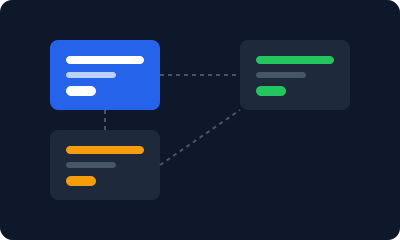
A prototype is defined by its flow — what happens when you click this button, this card, this link. CollabDraw's smart connectors make that visible.
- Smart connectors: arrows that stay attached when you move screens
- Label the flow: annotate each arrow with the action that triggers it
- Multiple arrow styles: solid, dashed, and directional options
- Connection points: attach to specific sides for clean layouts
Move a screen and the connectors follow. Your flow stays intact no matter how much you rearrange.
Use Real UI Components
A prototype should look like a product, not a sketch. CollabDraw includes UI-specific shapes that make your screens feel real.
- Buttons: styled with custom colours, borders, and text
- Input fields: text inputs, dropdowns, and checkboxes
- Navigation bars: tab bars, sidebars, and header layouts
- Cards and containers: content cards, modals, and panels
Combine these with real text content and your prototype stops looking like a wireframe and starts looking like a product.
Share for Feedback and Approval
Prototypes are made to be shared. CollabDraw gives you multiple ways to get feedback.
- Share links: send a URL and anyone can view the prototype
- Threaded comments: pin feedback to specific screens or elements
- Live cursors: walk stakeholders through the flow in real time
- Password protection: keep pre-launch prototypes confidential
No exporting to PDF, no screenshots in Slack. Send a link, get feedback, iterate.
Iterate With Your Team
Prototyping is iterative. CollabDraw supports the whole loop.
- Real-time collaboration: teammates edit different screens simultaneously
- Version history: undo/redo with tier-based limits
- Duplicate and branch: try a variation without losing the original
- Comments and reactions: structured feedback without meetings
Designers, product managers, and engineers can all contribute — one canvas, one source of truth.
Prototyping Workflow That Works
Here's a typical flow from idea to approved prototype:
- Open a wireframe template: pick the screen type you need
- Customise the content: edit text, colours, and layout
- Duplicate for each state: create variations of the same screen
- Connect with arrows: show the flow from screen to screen
- Share for feedback: send a link and collect comments
- Iterate: refine based on feedback, then share again
The whole process happens in one browser tab. No tool switching, no file management, no subscription.
How CollabDraw Compares to Figma, InVision, and Adobe XD
When choosing a free prototyping tool, the main alternatives are Figma (3-file free limit, 2 collaborators per file), InVision (discontinued free tier), and Adobe XD (limited free starter plan). Here's how CollabDraw stands out:
- Truly free: No file limits, no collaborator limits — Figma caps free users at 3 files with 2 collaborators each
- No sign-up required: Start prototyping instantly — Figma, InVision, and Adobe XD all require account creation
- No download required: Works in any browser — Adobe XD requires a desktop application download
- Smart connectors: Arrows that stay attached when you move screens — Figma's prototyping uses separate interaction modes
- Infinite canvas: Lay out every screen side by side on an unbounded canvas — Figma frames are contained within the canvas viewport
- Free export: PNG, PDF, SVG, and PPTX export at no cost — Figma limits export options on free plans
Key Facts About CollabDraw's Free Prototyping Tool
- Price: 100% free — no subscription, no credit card, no watermark
- Wireframe templates: Landing pages, dashboards, login forms, and more
- Smart connectors: Arrows that auto-reroute when screens are moved
- UI components: Buttons, inputs, dropdowns, navigation bars, and cards
- Sharing: Live links with password protection and expiry dates
- Collaboration: Real-time editing, threaded comments, and live cursors
- Export formats: PNG, PDF, SVG, and PPTX — all free
- Account required: No — start prototyping without signing up
- Best for: App prototypes, website prototypes, user flow testing, and stakeholder demos
Let the AI Assistant Design It For You
Prefer to skip the manual setup entirely? CollabDraw's free AI Assistant does the heavy lifting. Tell it what you want to make, and it asks a few quick questions about your idea — purpose, style, content — then builds a fully editable, layered design on your canvas. Every element stays editable, so you can refine the result with the techniques in this guide rather than starting from a blank page.
Start From a Ready-Made Template Instead
CollabDraw also includes a built-in template library — 50 editable templates free without an account, 100 with a free account. Ones that match this guide: the Mobile App Wireframe, Onboarding Flow, and Checkout Flow Wireframe templates. Open the Templates panel, click one, and it drops onto your canvas fully editable — screens ready to link together into a clickable flow.
Start Prototyping Free
You don't need an account to open a wireframe template and start connecting screens. No download, no credit card, no sign-up wall.
Product designers, startup founders, and product managers: your next clickable prototype is a template away — free on CollabDraw.