
Why Org Charts Still Matter in 2026
A free org chart maker is an online tool for creating organisational charts that visualise team structure, reporting lines, and role hierarchies using connected nodes. CollabDraw provides a free org chart maker with drag-and-drop nodes, smart connectors that route automatically, and real-time collaboration — no Visio or Lucidchart subscription, no download, and no sign-up required.
- Onboarding — new employees understand the team structure, reporting lines, and who to contact for what in minutes instead of weeks
- Restructuring planning — leaders can model proposed changes before announcing them, catching unintended reporting gaps
- Stakeholder communication — investors, board members, and partners want to understand who leads what and how the organisation is structured
- Cross-functional clarity — in matrix organisations, org charts clarify reporting lines versus project relationships
- Headcount tracking — visual team structure makes headcount gaps and overloaded managers immediately visible
Building an Org Chart in CollabDraw
The fast way: shapes and connectors
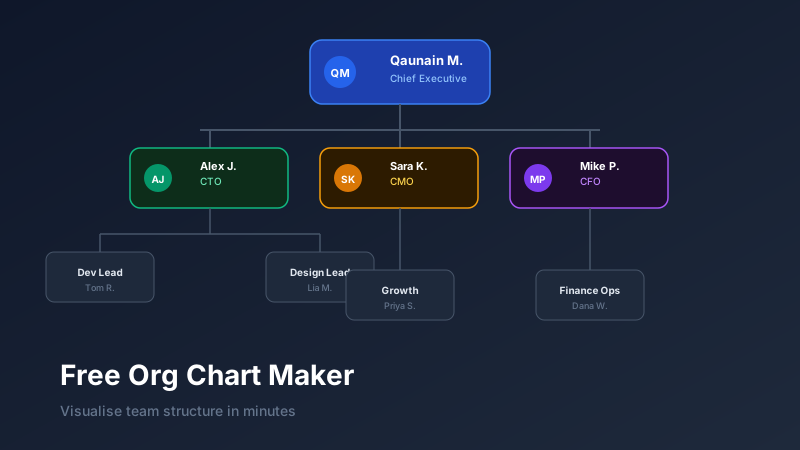
CollabDraw's shapes panel includes pre-styled org chart node components. Drag a node onto the canvas, double-click to add the person's name and title, then connect nodes with smart connectors that route automatically.
Hierarchy from top to bottom
Standard org charts flow top-to-bottom: CEO at the top, direct reports on the next row, their teams below. The tree structure makes reporting relationships legible at a glance.
Multiple hierarchies on one canvas
Large organisations typically have multiple charts — one for the executive layer, separate charts for each department. CollabDraw's infinite canvas lets you spread these across different zones with clear labels and optional frame boundaries.
Node Customisation
Each node in an org chart can display:
- Name — first and last name of the person (or "Vacant" for open roles)
- Title — job title or role name
- Department — the team or function they belong to
- Photo — optional headshot for named org charts
Node colours can be used to encode department membership (engineering nodes in blue, marketing in amber, product in green) so cross-departmental relationships are visually obvious.
Planning Organisational Restructures
One of the most valuable uses of a visual org chart is restructuring planning. Before announcing changes:
- Duplicate your current org chart to create a "future state" canvas
- Drag nodes to represent reporting line changes
- Add new nodes for planned hires
- Mark vacancies clearly with a distinctive colour or "Open" label
- Share the future-state chart with leadership for review and approval
This visual process surfaces problems that aren't obvious in spreadsheets — a manager with 12 direct reports, a critical function reporting to the wrong leader, a team with no clear escalation path.
Exporting and Distributing Org Charts
Org charts are regularly distributed across the organisation. Export options include:
- PNG — for embedding in internal wikis, Notion, Confluence, or Slack messages
- PDF — for formal documentation, onboarding packs, and board presentations
- Share link — for always-current org charts (update the canvas, and anyone with the link sees the latest version automatically)
How CollabDraw Compares to Lucidchart, Canva, and Visio
When choosing a free org chart maker, the main alternatives are Lucidchart (limited free tier with shape and document caps), Canva (no smart connectors or auto-routing), and Visio (paid only, desktop software). Here's how CollabDraw stands out:
- Truly free: Unlimited nodes, connectors, and documents with no shape count limits
- No sign-up required: Start instantly — Lucidchart, Canva, and Visio all require account creation or purchase
- Smart connectors: Connectors reroute automatically when you move nodes — no manual line redrawing
- Real-time collaboration: Multiple team members edit the same org chart simultaneously with live cursors
Key Facts About CollabDraw's Free Org Chart Maker
- Price: 100% free — no subscription, no credit card, no watermark
- Nodes: Customisable with name, title, department, and photo fields
- Connectors: Smart connectors with auto-routing and styling options
- Export formats: PNG, PDF, SVG, PPTX — all free
- Account required: No — start without signing up
- Best for: Onboarding, restructuring planning, and stakeholder communication
Let the AI Assistant Design It For You
Prefer to skip the manual setup entirely? CollabDraw's free AI Assistant does the heavy lifting. Tell it what you want to make, and it asks a few quick questions about your idea — purpose, style, content — then builds a fully editable, layered design on your canvas. Every element stays editable, so you can refine the result with the techniques in this guide rather than starting from a blank page.
Start From a Ready-Made Template Instead
CollabDraw also includes a built-in template library — 50 editable templates free without an account, 100 with a free account. Ones that match this guide: the Team Org Chart diagram template and the Meet the Team Slide presentation layout. Open the Templates panel, click one, and it drops onto your canvas fully editable — retype the role labels and your structure is drawn for you.
Keeping Your Org Chart Current
The biggest challenge with org charts isn't creating them — it's maintaining them. People leave, join, and move roles constantly. A static PDF becomes outdated immediately.
Using a live share link solves this. HR or team admins update the CollabDraw canvas when changes happen. Every link recipient automatically sees the current structure — no redistribution, no outdated files.