
The Diagram That Saves the 3 AM Outage
A free network diagram builder is an online tool for drawing your infrastructure — devices as shapes, connections as lines, zones as boundaries — so anyone can understand the topology at a glance. CollabDraw's free network diagram builder gives you shape libraries, smart connectors, and export-ready output — with no sign-up required.
When the network is down, the engineer who finds a current, legible diagram is the engineer who restores service first.
The Structure of a Clear Topology Diagram
Strong network diagrams share three habits:
- Zones first: draw boundaries — internet, DMZ, internal, management — before devices
- Standard flow: untrusted at top or left, trusted below or right; traffic reads in one direction
- Labelled connections: protocols, ports, and VLANs on the lines, not in someone's head
Build Yours in CollabDraw
- Set up zones: large labelled rectangles as backdrops for each trust boundary
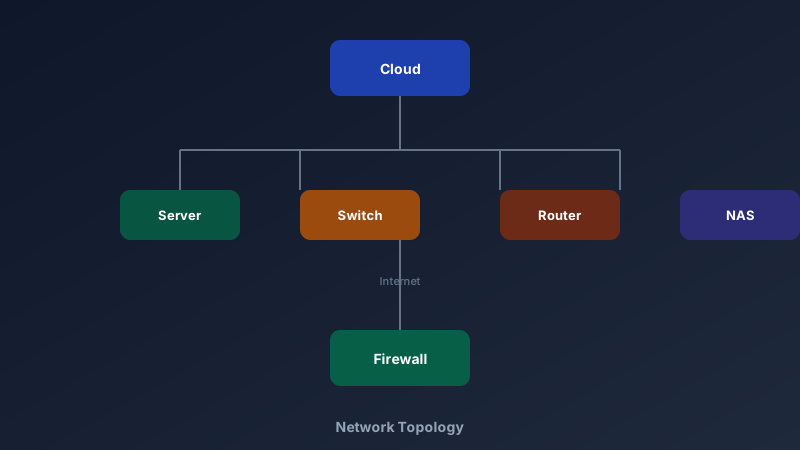
- Place devices: cloud, firewall, router, switch, server, and storage shapes from the shape library
- Connect with lines: solid for physical links, dashed for logical or VPN tunnels
- Label everything: IP ranges, interface names, and port numbers via text blocks
- Colour by status: green for production, amber for staging, grey for decommissioned
What Goes in the Diagram — and What Doesn't
Audience determines depth. Keep variants:
- Management view: zones and major devices only — one screen, no jargon
- Operations view: every device, interface, IP subnet, and failover path
- Security view: firewall rules, VPN endpoints, and data flows across boundaries
- Home lab view: router, switch, NAS, cameras, and IoT — because future-you forgets
Duplicate the canvas and edit per audience — the topology stays consistent, the detail level adapts.
Audit-Ready in Half an Hour
Compliance frameworks (SOC 2, ISO 27001) ask for network documentation. CollabDraw gets you there:
- Consistent shapes: the shape library keeps notation uniform across diagrams
- Named versions: multi-page projects track topology over time — Q1 vs Q3
- PNG and PDF export: drop straight into audit evidence folders
- SVG export: crisp vector output that scales for posters and runbooks
- Share links: auditors view the live diagram without file transfers
Keep It Alive
An outdated diagram is a liability disguised as an asset:
- Update at change time: diagram review is part of the change ticket, not after
- Date-stamp it: a "last verified" label sets expectations honestly
- Review quarterly: walk the floor (or the cloud console) against the diagram
- Store it with the runbook: the incident responder finds both together
How CollabDraw Compares to draw.io and Lucidchart
When choosing a free network diagram builder, the main alternatives are draw.io (free but clunky collaboration and file management) and Lucidchart (3-document free limit with network shape packs behind paid tiers). Here's how CollabDraw stands out:
- Truly free: No document limits, no shape-pack paywalls, no watermark
- No sign-up required: Start diagramming instantly — Lucidchart requires an account
- Real-time collaboration: Two engineers can update the same topology simultaneously
- Multi-page projects: Management, operations, and security views in one shareable project
- Free SVG export: Vector output for runbooks and wikis at no cost
Key Facts About CollabDraw's Free Network Diagram Builder
- Price: 100% free — no subscription, no credit card, no watermark
- Shapes: Cloud, firewall, router, switch, server, storage, endpoint, and more
- Connections: Solid and dashed lines with labels for protocols and ports
- Pages: Multi-page projects for per-audience diagram variants
- Export formats: PNG, PDF, and SVG — all free
- Account required: No — start without signing up
- Best for: IT documentation, audit prep, architecture reviews, home labs, and coursework
Let the AI Assistant Design It For You
Prefer to skip the manual setup entirely? CollabDraw's free AI Assistant does the heavy lifting. Tell it what you want to make, and it asks a few quick questions about your idea — purpose, style, content — then builds a fully editable, layered design on your canvas. Every element stays editable, so you can refine the result with the techniques in this guide rather than starting from a blank page.
Start From a Ready-Made Template Instead
CollabDraw also includes a built-in template library — 50 editable templates free without an account, 100 with a free account. Ones that match this guide: the Network Topology and System Architecture templates. Open the Templates panel, click one, and it drops onto your canvas fully editable — standard shapes and connection lines already placed; label them with your own devices.
Map Your Network Free
You don't need an account to open CollabDraw and place your first firewall. No download, no credit card, no sign-up wall.
IT teams, admins, and students: the next outage will thank you — free on CollabDraw.