
The Problem with Traditional Presentation Tools
A free multi-page presentation maker is an online tool for creating slide decks with multiple pages, professional templates, and design elements without requiring paid software like PowerPoint or Keynote. CollabDraw offers a free presentation maker with 50+ templates, live charts, real-time collaboration, and export to PDF or PPTX — all on an infinite canvas with no subscription or sign-up required.
CollabDraw's presentation mode flips this model. Presentations are built on the same infinite canvas as everything else, with full design freedom, real-time collaboration, and no subscription required.
Starting from a Template
CollabDraw includes 50+ professionally designed presentation templates across several categories:
- Business pitch decks — investor presentations with problem/solution/market/traction structure
- Product presentations — feature walkthroughs, launch announcements, roadmap reveals
- Marketing decks — campaign proposals, brand guidelines, strategy presentations
- Educational slides — lecture notes, course materials, tutorial walkthroughs
- Report presentations — quarterly reviews, annual reports, team performance summaries
- Minimalist / clean — typographic, whitespace-heavy slides for editorial and creative use
Each template loads as a set of editable canvas pages. Every element — title text, body copy, colours, shapes, images, charts — is directly editable without any special mode or unlock step.
The Pages System
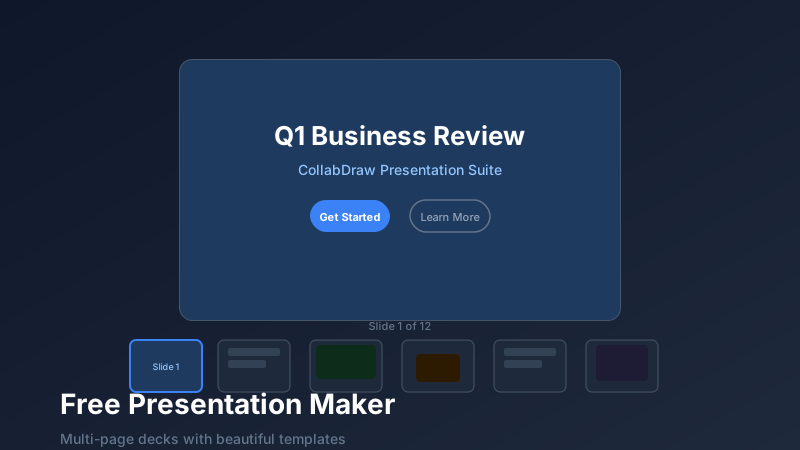
CollabDraw's Pages panel at the bottom of the canvas is the slide manager for presentations. Each page is a canvas of fixed dimensions (you choose the aspect ratio: 16:9, 4:3, A4, or custom).
Pages workflow:
- Add — click "+" in the pages strip to add a new blank slide
- Duplicate — right-click any page to duplicate it with all its content (ideal for consistent slide layouts)
- Reorder — drag pages left or right to reorder slides
- Rename — double-click a page tab to rename it (useful for navigating complex presentations)
- Delete — remove any page you no longer need
What You Can Put on a Slide
Because slides are canvas pages, every CollabDraw canvas element is available:
- Text — headlines, body copy, callouts, captions, with full font and styling control
- Images — uploaded photos, stock images from the built-in 7M+ library, or AI-generated images
- Charts — live bar, line, pie, and donut charts with editable data
- Icons and emojis — 5,500+ icons to support any concept visually
- Shapes — rectangles, circles, arrows, speech bubbles, custom paths
- Tables — data tables with custom cell colours and borders
- Videos — embedded video clips that play during live presentations
- Sticky notes — for workshop and brainstorm slides
Real-Time Team Collaboration on Slides
Multiple team members can work on different slides simultaneously. One person can be refining the title slide while another builds out the data slides and a third formats the closing CTA. All changes appear live on every collaborator's screen.
This parallel workflow cuts presentation build time dramatically compared to the serial handoff process in traditional tools (designer builds, PM edits, designer revises, repeat).
Presenting and Sharing
Live presentation mode
Click "Present" to enter a clean, fullscreen presentation mode. Use arrow keys or keyboard shortcuts to advance slides. The audience sees only your slides — no canvas chrome, no toolbars.
Share as a live link
Share a live link for remote presentations. Your audience opens it in any browser on any device. They see the current slide and can follow along as you advance. No Zoom screenshare lag, no resolution issues.
Export to PDF or PPTX
Export to PDF for client deliverables and documentation. Export to PPTX when stakeholders need to edit the slides further in Microsoft PowerPoint.
How CollabDraw Compares to Google Slides, Canva, and PowerPoint
When choosing a free presentation maker, the main alternatives are Google Slides (limited design flexibility and requires Google account), Canva (watermarks and paid-only templates on free plan), and PowerPoint (paid subscription required). Here's how CollabDraw stands out:
- Truly free: All 50+ templates and design elements with no watermarks or paid gating
- No sign-up required: Start instantly — Google Slides, Canva, and PowerPoint all require account creation
- Infinite canvas design: Full design freedom on each slide, not rigid template grids like Google Slides
- Real-time collaboration: Multiple team members edit different slides simultaneously with live cursors
Key Facts About CollabDraw's Free Presentation Maker
- Price: 100% free — no subscription, no credit card, no watermark
- Templates: 50+ professional templates across business, product, marketing, and education
- Elements: Text, images, live charts, icons, shapes, tables, videos, and sticky notes
- Export formats: PNG, PDF, SVG, PPTX — all free
- Account required: No — start without signing up
- Best for: Pitch decks, product presentations, marketing decks, and educational slides
Let the AI Assistant Design It For You
Prefer to skip the manual setup entirely? CollabDraw's free AI Assistant does the heavy lifting. Tell it what you want to make, and it asks a few quick questions about your idea — purpose, style, content — then builds a fully editable, layered design on your canvas. Every element stays editable, so you can refine the result with the techniques in this guide rather than starting from a blank page.
Start From a Ready-Made Template Instead
CollabDraw also includes a built-in template library — 50 editable templates free without an account, 100 with a free account. Ones that match this guide: the Simple Presentation, Pitch Deck - Dark, Corporate Report, and Marketing Plan decks. Open the Templates panel, click one, and it drops onto your canvas fully editable — multi-page layouts with titles, content slides, and section breaks already in place.
Design Tips for Better Presentations
- One idea per slide — if a slide has more than one key message, split it into two
- Less text, more visuals — slides are for visual support, not text transcripts. Your voice carries the narrative.
- Consistent colour palette — use the same 3–4 colours throughout to maintain visual coherence
- Large type — text smaller than 24pt is unreadable at the back of a room or on a small shared screen
- White space is not empty space — breathing room around elements improves focus and reduces cognitive load