
One Picture Is Worth a Thousand Meetings
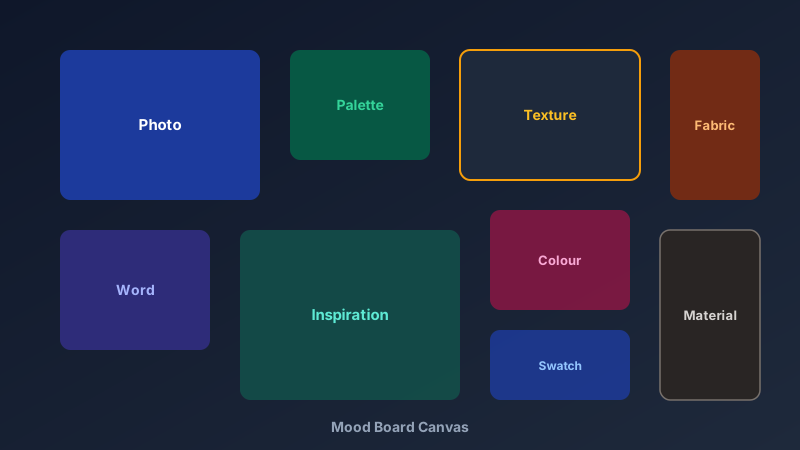
A free mood board creator is an online tool that lets you arrange images, colours, textures, and text on a canvas to capture the look and feel of an idea before you build it. CollabDraw's free mood board creator combines drag-and-drop layout, a 7M+ image library, AI image generation, and instant sharing — with no sign-up and no design skills required.
Whether you're pitching a brand identity, planning a wedding, or redesigning a living room, a mood board answers the question every stakeholder asks: "What will it actually look like?"
Here's how to build one in minutes.
Start With a Blank Infinite Canvas
Mood boards are organic — they grow in every direction. CollabDraw's infinite canvas never boxes you in.
- Any layout: strict grid, scattered collage, or a single hero image with supporting swatches
- Unlimited space: start small and expand outward as inspiration strikes
- Frame support: crop images into clean rectangles or circles for polish
- Layers: overlap images deliberately or keep everything neatly spaced
Fill It With 7 Million Free Images
The hardest part of mood boarding is sourcing visuals. CollabDraw puts the library next to the canvas.
- Open the Images panel and search any keyword — "brutalist architecture", "linen texture", "sunset gradient"
- Drag images straight onto the board and resize freely
- Add your own uploads for brand photos and product shots
- Generate custom visuals with AI when the perfect image doesn't exist
Everything is royalty-free for commercial use — safe for client work.
Capture Colour, Texture, and Type
A great mood board communicates more than pictures. Layer in the details that define a direction:
- Colour palettes: draw swatch rectangles with your palette hex codes labelled beside them
- Textures: wood grain, marble, linen, concrete — texture images set tactile expectations
- Typography: drop in headline text in your brand font to test the pairing
- Keywords: sticky notes with words like "warm", "minimal", "playful" anchor the intent
Who Uses Mood Boards?
The format is universal across creative industries:
- Brand designers: present visual direction before designing a single logo
- Interior designers: combine furniture, fabric, and paint references per room
- Fashion stylists: plan seasonal collections around silhouettes and palettes
- Wedding planners: share a single vision board couples can approve from anywhere
- Marketers: align campaign aesthetics before production begins
Collaborate and Get Sign-Off Faster
A mood board buried in your downloads folder helps no one. CollabDraw makes it a living document.
- Share links: send a URL clients can open in their browser — no account needed
- Real-time editing: build the board together with your team, live cursors included
- Comments: let clients react to specific images instead of writing vague emails
- Password protection: keep unreleased concepts confidential
How CollabDraw Compares to Canva and Milanote
When choosing a free mood board creator, the main alternatives are Canva (freemium with many elements locked behind Pro) and Milanote (limited free boards before requiring payment). Here's how CollabDraw stands out:
- Truly free: No board limits, no watermark on exports — Milanote caps free users at 100 elements
- No sign-up required: Start arranging instantly — Canva and Milanote both require account creation
- 7M+ built-in images: Search Pexels and Pixabay without leaving the board — Milanote requires uploading everything manually
- AI image generation: Create custom visuals when stock falls short — a paid feature elsewhere
- Infinite canvas: Boards grow in any direction with no element caps
- Free export: PNG, PDF, and share links at no cost
Key Facts About CollabDraw's Free Mood Board Creator
- Price: 100% free — no subscription, no credit card, no watermark
- Canvas: Infinite — any layout, any size, no element limits
- Images: 7M+ stock photos plus unlimited uploads and AI generation
- Collaboration: Real-time editing, comments, and share links
- Sharing: Public or password-protected links with view permissions
- Export formats: PNG, PDF, and SVG — all free
- Account required: No — start without signing up
- Best for: Brand direction, interior design, fashion, weddings, and campaign planning
Let the AI Assistant Design It For You
Prefer to skip the manual setup entirely? CollabDraw's free AI Assistant does the heavy lifting. Tell it what you want to make, and it asks a few quick questions about your idea — purpose, style, content — then builds a fully editable, layered design on your canvas. Every element stays editable, so you can refine the result with the techniques in this guide rather than starting from a blank page.
Start From a Ready-Made Template Instead
CollabDraw also includes a built-in template library — 50 editable templates free without an account, 100 with a free account. Ones that match this guide: the Brand Strategy Canvas and Customer Journey Map boards. Open the Templates panel, click one, and it drops onto your canvas fully editable — useful companions when a mood board feeds into positioning or campaign work.
Start Mood Boarding Free
You don't need an account to open CollabDraw and start arranging. No download, no credit card, no sign-up wall.
Designers, planners, and dreamers: your next big idea deserves a board — free on CollabDraw.