
Your Menu Is Your Best Salesperson
A free menu maker is an online design tool for creating restaurant, cafe, and event menus with professional layouts — typography, dish descriptions, prices, and food photography — exported print-ready. CollabDraw's free menu maker gives you an infinite canvas, stock food photography, and PDF export — with no sign-up and no design skills needed.
Menus are read in under two minutes and scanned, not studied. Every layout decision either guides the eye to your best dishes or loses the sale to confusion.
Menu Psychology That Actually Works
Decades of hospitality research agree on these levers:
- The golden triangle: eyes land centre, then top-right, then top-left — put your signature dishes centre-top
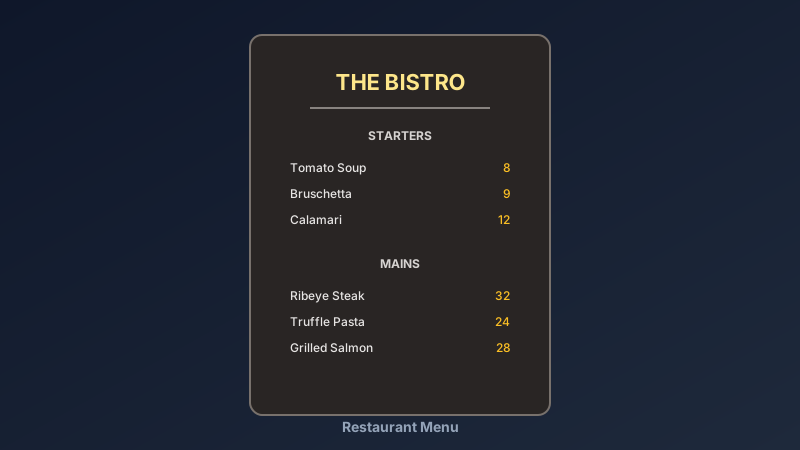
- Remove currency symbols: "24" reads calmer than "$24.00" — the price feels less like a loss
- Anchoring: one high-priced dish makes everything beside it feel reasonable
- Boxes sell: a bordered highlight around one dish measurably lifts its orders
- Descriptions sell harder: "slow-braised, heritage recipe" out-orders "beef stew"
Design Your Menu in CollabDraw
- Set the page: A4 or letter-size frame — single or double panel
- Pick your typography: one display font for headings, one readable font for dishes
- Structure sections: Starters, Mains, Desserts, Drinks — consistent header treatment
- Space generously: white space is the visual smell of quality — don't cram
- Add food photography: stock images from the built-in library, or your own dish shots
- Highlight the stars: boxes or icons around high-margin signature dishes
One Canvas, Every Menu Variant
Restaurants need more menu versions than they admit. CollabDraw keeps them all alive:
- Daily specials: duplicate the master and swap one panel
- Seasonal menus: change palette and images, keep the layout
- Lunch vs dinner: trim sections instead of redesigning
- Digital menu: export PNG for a QR-code link at every table
- Events and catering: same brand, adjusted sections and pricing
Pair the digital menu with a free QR code — generate it on the same canvas and place it on table tents.
Export for Print Without Surprises
- PDF export: the format print shops expect, with fonts embedded
- Full resolution: crisp text at print size — check it at 100% zoom before sending
- JPEG and PNG: for social media menu posts and delivery apps
- No watermark: your menu looks like yours, not a template site's
How CollabDraw Compares to Canva and MustHaveMenus
When choosing a free menu maker, the main alternatives are Canva (freemium with many menu templates locked behind Pro) and MustHaveMenus (subscription for downloads). Here's how CollabDraw stands out:
- Truly free: Full menu design and print-ready PDF export at no cost — MustHaveMenus charges per download
- No sign-up required: Start designing instantly
- QR code menus included: generate table QR codes on the same canvas — no second tool
- Food photography built in: 7M+ stock images searchable without leaving the canvas
- Every variant on one canvas: daily specials, seasons, and events as duplicates
Key Facts About CollabDraw's Free Menu Maker
- Price: 100% free — no subscription, no credit card, no watermark
- Formats: A4, letter, or custom sizes; single and multi-panel layouts
- Images: 7M+ stock food photos plus your own dish photography
- QR codes: Generate digital menu codes directly on the canvas
- Export formats: PDF (print), PNG and JPEG (digital) — all free
- Account required: No — start without signing up
- Best for: Restaurants, cafes, food trucks, bakeries, bars, and caterers
Let the AI Assistant Design It For You
Prefer to skip the manual setup entirely? CollabDraw's free AI Assistant does the heavy lifting. Tell it what you want to make, and it asks a few quick questions about your idea — purpose, style, content — then builds a fully editable, layered design on your canvas. Every element stays editable, so you can refine the result with the techniques in this guide rather than starting from a blank page.
Start From a Ready-Made Template Instead
CollabDraw also includes a built-in template library — 50 editable templates free without an account, 100 with a free account. Ones that match this guide: the Food Recipe Post and Brunch Event Promo templates. Open the Templates panel, click one, and it drops onto your canvas fully editable — food-styled layouts that adapt well to menu panels and specials cards.
Design Your Menu Free
You don't need an account to open CollabDraw and lay out your first section. No download, no credit card, no sign-up wall.
Chefs, cafe owners, and caterers: your menu should work as hard as your kitchen — free on CollabDraw.