
Task Management Shouldn't Cost Per Person
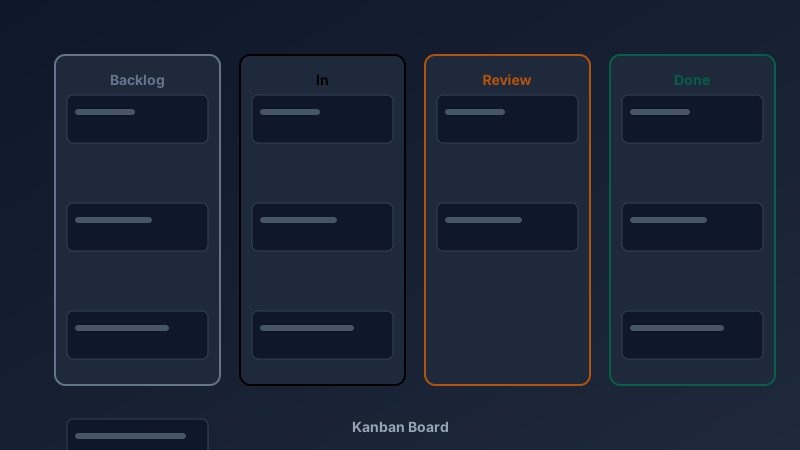
A free kanban board maker is an online tool that organises work into columns — typically To Do, In Progress, and Done — with cards that move across the board as tasks progress. CollabDraw's free kanban board maker gives you a drag-and-drop board with custom columns, colour coding, sticky-note cards, and real-time collaboration — with no sign-up and no per-seat pricing.
Most kanban tools charge per user per month. For a five-person team, that's hundreds of dollars a year — for what is fundamentally a board with moving cards.
Here's how to set yours up for nothing.
Build Your Board in Three Steps
- Start from a template: CollabDraw's board templates include kanban layouts ready to customise
- Define your columns: add rectangles for To Do, In Progress, Review, Done — or any workflow you use
- Add cards: drop sticky notes onto columns; one task per note keeps things scannable
Because it's a free-form canvas, your columns can be any width, any colour, any order. You're not trapped in a rigid app layout.
Colour-Code for Instant Clarity
The human eye processes colour before text. Use that:
- Priority: red for urgent, amber for this week, neutral for backlog
- Owner: each teammate picks a colour for their cards
- Task type: blue for design, green for engineering, amber for marketing
- Blocked work: a distinct border colour that screams "needs attention"
A colour-coded board tells you the project's health in a two-second glance.
Beyond Software Teams: Kanban Everywhere
Kanban started on Toyota factory floors, but the pattern now runs everything:
- Content pipelines: Idea → Drafting → Editing → Scheduled → Published
- Hiring: Applied → Screening → Interview → Offer → Hired
- Personal life: errands, home projects, job hunts, study plans
- Event planning: venues, vendors, invitations, and day-of logistics
- Classrooms: project-based learning where students move their own cards
Collaborate in Real Time
Physical kanban boards fail when the team is remote. CollabDraw's board works from anywhere.
- Live cursors: see who's looking at which column right now
- Simultaneous editing: everyone moves cards without conflicts
- Comments: discuss a task on the card itself with threaded replies
- Share links: give stakeholders view-only access — progress demos without meetings
Kanban Best Practices That Actually Matter
- Limit work in progress: if In Progress has 20 cards, nothing is finishing — cap it
- One task per card: "Redesign homepage" not "Website stuff"
- Make columns match reality: mirror your actual workflow, not an idealised one
- Review the board daily: five minutes at standup keeps it honest
- Archive ruthlessly: move finished cards to a Done column and let them go
How CollabDraw Compares to Trello and Asana
When choosing a free kanban board, the main alternatives are Trello (10-board free limit with paid power-ups) and Asana (free tier limited to small teams with basic features). Here's how CollabDraw stands out:
- Truly free: No board limits, no member limits, no feature paywalls — Trello caps free workspaces at 10 boards
- No sign-up required: Build a board instantly — Trello and Asana both require account creation
- Total visual freedom: Colour, shape, and layout are fully customisable — not locked to app-standard cards
- Part of a bigger workspace: Your board lives beside timelines, diagrams, and docs on the same canvas
- Free export: Capture the board as PNG or PDF for reports and reviews
Key Facts About CollabDraw's Free Kanban Board Maker
- Price: 100% free — no subscription, no per-seat fees, no credit card
- Columns: Fully custom names, colours, widths, and order
- Cards: Sticky notes with text, reactions, and threaded comments
- Templates: Ready-made kanban and planning board templates
- Collaboration: Real-time editing with live cursors and share links
- Export formats: PNG, PDF, and SVG — all free
- Account required: No — start without signing up
- Best for: Agile sprints, content pipelines, hiring, personal productivity, and classrooms
Let the AI Assistant Design It For You
Prefer to skip the manual setup entirely? CollabDraw's free AI Assistant does the heavy lifting. Tell it what you want to make, and it asks a few quick questions about your idea — purpose, style, content — then builds a fully editable, layered design on your canvas. Every element stays editable, so you can refine the result with the techniques in this guide rather than starting from a blank page.
Start From a Ready-Made Template Instead
CollabDraw also includes a built-in template library — 50 editable templates free without an account, 100 with a free account. Ones that match this guide: the Kanban Board, Sprint Planning Board, Bug Triage Board, and Content Calendar boards. Open the Templates panel, click one, and it drops onto your canvas fully editable — columns, headers, and prompts are already in place; rename them and start moving cards.
Start Planning Free
You don't need an account to open a board and start moving cards. No download, no credit card, no sign-up wall.
Teams, freelancers, and students: your workflow deserves a board — free on CollabDraw.