
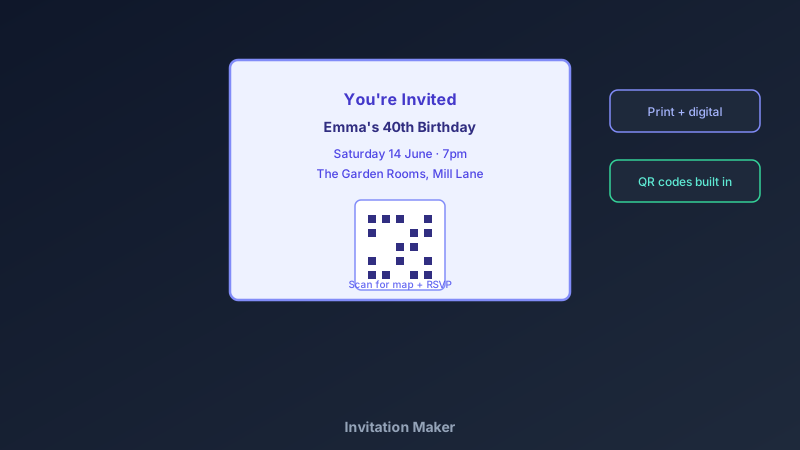
The Invitation Sets the Tone for Everything
A free invitation maker is an online design tool for creating event invitations — birthdays, weddings, baby showers, retirement parties — with date, venue, RSVP details, and your own visual style, exported for print or digital sharing. CollabDraw's free invitation maker gives you full layout control, built-in QR codes, and free PDF and PNG export — with no sign-up required.
Guests decide whether an event matters within seconds of reading the invite. A clear, well-designed invitation makes your gathering feel considered before anyone arrives.
The Five Details Every Invitation Needs
- What: the occasion in a few words — "Emma's 40th", "Mia & Josh's Wedding"
- When: full date and start time — and end time if there's a schedule
- Where: venue name plus address; a QR code linking to a map removes all friction
- RSVP: who to contact, by when, and how — phone, email, or a QR to a form
- Dress or extras: theme, dress code, "bring a plate", gift notes — one line each
Build Yours in CollabDraw
- Size the canvas: A5 portrait for print, or 1080 × 1350 for digital sending
- Set the visual theme: colours and one font family that match the occasion's mood
- Add imagery: a photo for personal events, or decorative shapes and icons for formal ones
- Lay out the details: what, when, where in clear hierarchy — biggest text for the occasion
- Generate the QR code: link it to a map pin, RSVP form, or gift registry URL
- Export both versions: PDF for printing, PNG for group chats and social media
Invitations for Different Events
- Kids' parties: bright colours, big typography, and a themed illustration — fun beats formal
- Weddings: restrained palette, elegant serif type, generous white space — less is more
- Baby showers: soft palettes, playful icons, one sweet illustration as the anchor
- Corporate events: brand colours, clean sans-serif, logo placement, QR to the registration page
- Community events: the flyer workflow works too — see the flyer guide for public-facing promotion
QR Codes That Make Invitations Smarter
- Location QR: links to the venue pin — guests tap and navigate, no address typing
- RSVP QR: links to a short form so headcounts fill themselves
- Registry or gift list QR: saves guests asking, saves you repeating
- Photo-sharing QR: a shared album link so everyone's photos land in one place
- Customise the style: match the QR colours to the invitation so it integrates instead of shouting
Print and Digital From One Design
- PDF at exact size: prints crisp at home or any print shop — no scaling surprises
- PNG for messaging apps: the version that travels through group chats
- Multi-page projects: invitation, details card, and RSVP card in one file
- No watermark: your invite, your style
- Collaborate on the guest-of-honour's input: share a draft link for a quick check before printing
How CollabDraw Compares to Canva and Evite
When choosing a free invitation maker, the main alternatives are Canva (freemium — premium invitation templates and some exports require Pro) and Evite (free tier adds ads and limits customisation). Here's how CollabDraw stands out:
- Truly free: Every template element editable, every export free — no Pro surprises
- No sign-up required: Start designing instantly
- QR codes built in: maps, RSVP, and registries integrated into the design
- Print and digital from one canvas: export both without rebuilding
- Guest input before printing: share a draft link for instant family review
Key Facts About CollabDraw's Free Invitation Maker
- Price: 100% free — no subscription, no credit card, no watermark
- Sizes: Any canvas — A5 print, 1080 × 1350 digital, or custom dimensions
- QR codes: Built-in generator with six content types and custom styling
- Photos: Personal uploads plus 7M+ stock images
- Export formats: PDF (print), PNG and JPEG (digital) — all free
- Account required: No — start without signing up
- Best for: Birthdays, weddings, baby showers, corporate events, and community gatherings
Let the AI Assistant Design It For You
Prefer to skip the manual setup entirely? CollabDraw's free AI Assistant does the heavy lifting. Tell it what you want to make, and it asks a few quick questions about your idea — purpose, style, content — then builds a fully editable, layered design on your canvas. Every element stays editable, so you can refine the result with the techniques in this guide rather than starting from a blank page.
Start From a Ready-Made Template Instead
CollabDraw also includes a built-in template library — 50 editable templates free without an account, 100 with a free account. Ones that match this guide: the Event Invitation and Party Flyer marketing templates. Open the Templates panel, click one, and it drops onto your canvas fully editable — invitation layouts ready for your event details.
Send Your First Invite Free
You don't need an account to open CollabDraw and design an invitation. No download, no credit card, no sign-up wall.
Great events start with great invitations — free on CollabDraw.