
The Feed Rewards Consistency, Not Luck
A free Instagram post maker is an online design tool for creating Instagram content in the platform's exact formats — square posts, portrait posts, and multi-slide carousels — with clean typography, stock imagery, and ready-to-upload export. CollabDraw's free Instagram post maker gives you exact-size canvases, 7M+ stock photos, and watermark-free export — with no sign-up required.
The accounts that grow share one visible trait: every post looks like it came from the same place. That's not a filter — it's a repeatable design system, and it's free to build.
The Sizes That Matter
- Square — 1080 × 1080: the classic feed post; safest all-rounder
- Portrait — 1080 × 1350: takes more screen space in the feed; the best choice for reach
- Carousel slides: same sizes as posts — up to ten slides that swipe
- Reels cover — 1080 × 1920: design at full height but keep text in the centre safe zone
- Profile grid reality: portrait posts crop to square on your grid — keep key text centred
Build a Post That Stops the Scroll
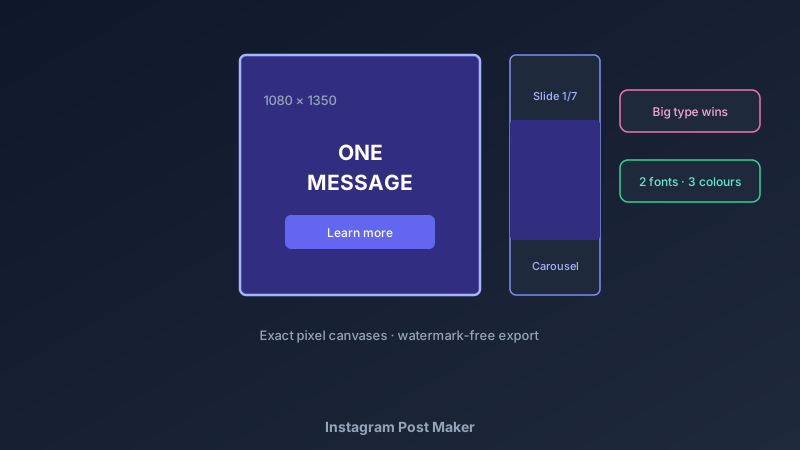
- Set the exact canvas: 1080 × 1350 for maximum feed presence
- One message only: a post is a headline, not a paragraph — decide the single idea before designing
- Big type wins: if the headline isn't readable on a phone at arm's length, it's too small
- Contrast deliberately: light text needs dark backgrounds and vice versa — no exceptions
- Use strong imagery: the stock library or your own photos; faces outperform abstract graphics
- Export at full size: PNG or JPEG at 1080px — crisp upload, no platform rescaling damage
Carousels That Earn the Swipe
- Slide one sells slide two: a bold claim or question on the cover; the answer inside
- One idea per slide: a carousel is a story told in steps, not a document pasted onto images
- Consistent layout system: same margins, fonts, and colours across all slides
- Number your slides: small "1/7" markers signal more value ahead
- Last slide converts: a clear call to action — follow, save, comment, or link
- Multi-page projects: one page per slide keeps the whole carousel in one file
Build Your Repeatable Post System
- Pick two fonts: one for headlines, one for supporting text — never more
- Lock your palette: three colours used consistently become your brand
- Fixed margins: the same outer padding on every post reads as professionalism
- Templates for speed: design one great post, duplicate the page, swap content — hours saved weekly
- Batch by type: quote posts, announcements, and tips each get their own layout pattern
Post Types Worth Designing
- Quote posts: one strong line, generous white space, brand colours
- Announcements: launches, offers, events — clean hierarchy with one call to action
- Educational carousels: tips, how-tos, and checklists — the most-saved content type
- Photo spotlights: product or lifestyle photography with minimal text overlay
- Event promos: date, location, and a QR code to the registration page
Export Specs That Just Work
- Exact pixel dimensions: no cropping surprises on upload
- PNG for graphics: sharp text and flat colours; JPEG for photographic posts
- No watermark: your posts carry your brand only
- Full resolution on free: no quality paywall on exports
- Carousel-ready pages: export each slide individually in order
How CollabDraw Compares to Canva
When choosing a free Instagram post maker, the main alternative is Canva (freemium — brand kits, premium templates, and background remover sit behind Pro). Here's how CollabDraw stands out:
- Truly free: Every design tool and export free — no Pro-gated essentials
- No sign-up required: Start designing instantly
- AI image generation included: create custom visuals for posts on the free tier
- Background remover built in: clean product and portrait cutouts at no cost
- Carousel workflow: multi-page projects built for slide-by-slide content
Key Facts About CollabDraw's Free Instagram Post Maker
- Price: 100% free — no subscription, no credit card, no watermark
- Sizes: Exact 1080 × 1080, 1080 × 1350, and 1080 × 1920 canvases
- Images: 7M+ stock photos, personal uploads, and AI generation built in
- Carousels: Multi-page projects export slide by slide
- Export formats: PNG and JPEG at full resolution — free
- Account required: No — start without signing up
- Best for: Businesses, creators, and community pages building a consistent feed
Let the AI Assistant Design It For You
Prefer to skip the manual setup entirely? CollabDraw's free AI Assistant does the heavy lifting. Tell it what you want to make, and it asks a few quick questions about your idea — purpose, style, content — then builds a fully editable, layered design on your canvas. Every element stays editable, so you can refine the result with the techniques in this guide rather than starting from a blank page.
Start From a Ready-Made Template Instead
CollabDraw also includes a built-in template library — 50 editable templates free without an account, 100 with a free account. Ones that match this guide: the Social Media Post and Instagram Announcement marketing templates. Open the Templates panel, click one, and it drops onto your canvas fully editable — feed-ready layouts for your content.
Design Your Next Post Free
You don't need an account to open CollabDraw and build a post. No download, no credit card, no sign-up wall.
Your feed deserves design that matches your ambition — free on CollabDraw.