
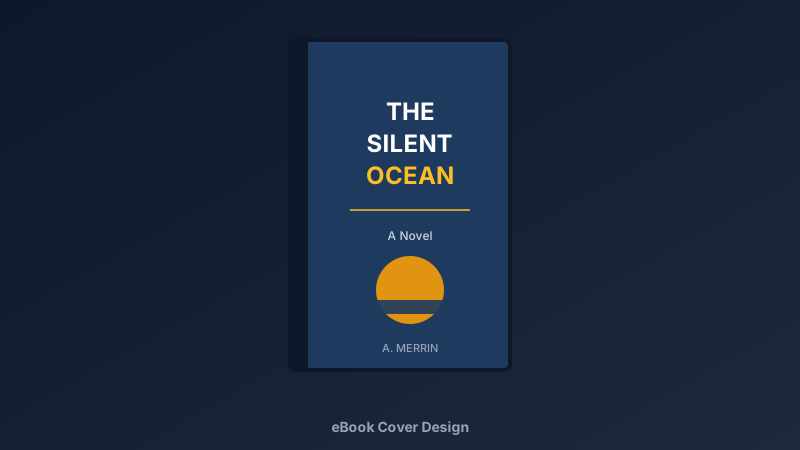
Readers Judge Your Book by Its Cover. All of Them Do.
A free eBook cover maker is an online design tool for creating professional book covers — genre-appropriate imagery, title typography, and author branding — exported at the exact sizes self-publishing platforms require. CollabDraw's free eBook cover maker gives you an infinite canvas, 7M+ images, AI image generation, and free full-resolution export — with no sign-up required.
Online, your cover is a thumbnail fighting for attention beside two hundred others. It has one job: make the right reader click.
Genre Signals You Must Send in Half a Second
Each genre has a visual contract with readers. Break it and the browser scrolls past:
- Romance: warm palettes, elegant script title, couple or symbolic imagery
- Thriller: high contrast, bold sans-serif titles, a single ominous focal image
- Fantasy: rich saturated colour, epic landscape or emblem, decorative serif type
- Sci-fi: cool tones, geometric elements, futuristic minimal type
- Nonfiction: clean light backgrounds, confident sans-serif, promise-driven subtitle
- Literary: restrained palettes, artistic imagery, understated type
Study the current top twenty in your genre before designing. You're joining a conversation, not inventing a language.
Typography: Where Covers Are Won and Lost
- The title must be readable at thumbnail: if it's illegible at 100 pixels wide, it's illegible, full stop
- One title font, one accent: two fonts maximum — three is amateur hour
- Big beats clever: the title is the hero; the artistic flourish is not
- Author name smaller, always: unless you're Stephen King, the title wins the hierarchy
- Contrast is non-negotiable: test every text placement against its background
Design Yours in CollabDraw
- Set the canvas: 1600 × 2560 pixels — Amazon KDP's recommended eBook cover size
- Choose the imagery: search 7M+ stock images, or generate something custom with AI
- Cut out the subject: one-click background removal for clean composites
- Set the type: title, subtitle, author — hierarchy in that order
- Add finishing layers: subtle gradients, vignettes, or texture for depth
- The thumbnail test: zoom out to 100 px wide. Title readable? Genre clear? Ship it
The Exact Export You Need for KDP
- eBook cover: 1600 × 2560 px JPEG, under 50 MB — KDP's recommendation, exported free
- Print wrap: design the spine and back on the same canvas for paperback editions
- Marketing crops: square and wide versions for social announcements
- 3D mockup base: export flat art for use in mockup generators
How CollabDraw Compares to Canva and BookBrush
When choosing a free eBook cover maker, the main alternatives are Canva (freemium with premium elements locked) and BookBrush (subscription for full features). Here's how CollabDraw stands out:
- Truly free: Full-resolution export with no watermark — the cover you publish is the cover you made
- No sign-up required: Start designing instantly
- AI image generation included: commission the exact cover art in your head — no stock compromise
- Background removal built in: isolate subjects for professional composites free
- Print wrap on the same canvas: eBook and paperback from one project
Key Facts About CollabDraw's Free eBook Cover Maker
- Price: 100% free — no subscription, no credit card, no watermark
- Canvas: Any size — KDP's 1600 × 2560 preset works perfectly
- Images: 7M+ stock photos, AI generation, and background removal built in
- Typography: Full font control with precise spacing and sizing
- Export formats: JPEG, PNG, PDF, and SVG — all free
- Account required: No — start without signing up
- Best for: Self-publishing authors, KDP publishers, and small presses
Let the AI Assistant Design It For You
Prefer to skip the manual setup entirely? CollabDraw's free AI Assistant does the heavy lifting. Tell it what you want to make, and it asks a few quick questions about your idea — purpose, style, content — then builds a fully editable, layered design on your canvas. Every element stays editable, so you can refine the result with the techniques in this guide rather than starting from a blank page.
Design Your Cover Free
You don't need an account to open CollabDraw and set your title. No download, no credit card, no sign-up wall.
Authors and self-publishers: your story deserves a cover that gets it clicked — free on CollabDraw.