
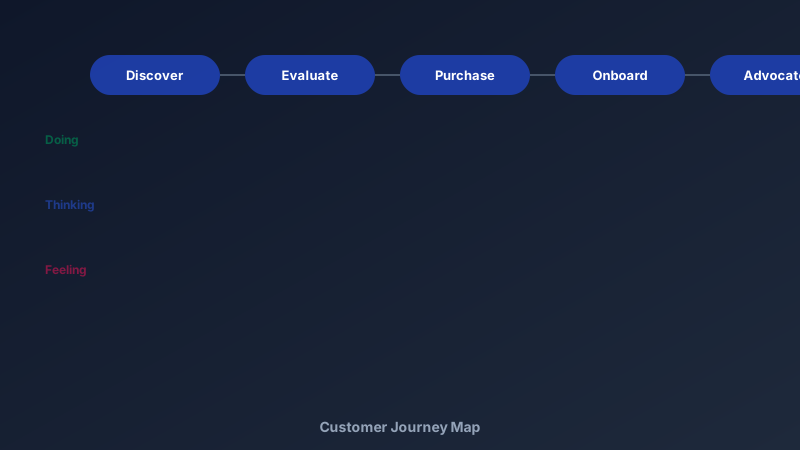
Your Business Has a Front Door You've Never Walked Through
A free customer journey map maker is an online tool for visualising the end-to-end customer experience — stages across the top, what customers do, think, and feel at each stage underneath. CollabDraw's free customer journey map maker gives you templates, sticky notes, and real-time collaboration — with no sign-up required.
Teams know their org chart. They rarely know their emotional arc. The journey map is where the gap becomes visible — and fixable.
The Rows That Make a Journey Map Work
Stages run left to right; these five rows run top to bottom:
- Actions: what the customer physically does — searches, compares, signs up, contacts support
- Thoughts: the questions in their head at each stage
- Feelings: the emotional temperature — map it as a rising and falling line
- Pain points: friction, confusion, dead ends
- Opportunities: what would turn each pain point into a delight
Stages vary by business, but a reliable starting set is: Discover → Evaluate → Purchase → Onboard → Use → Advocate.
Build Yours in CollabDraw
- Lay out the stages: labelled columns across the top of the canvas
- Add the rows: labelled bands for actions, thoughts, feelings, pain points
- Fill with sticky notes: one observation per note — granularity matters
- Draw the emotion curve: a line charting sentiment across stages — dips mark the danger zones
- Tag pain points: red borders on the notes worth fixing first
Feed It Real Data, Not Imagination
An invented journey map is fan fiction. Ground it:
- Support tickets: the vocabulary customers actually use
- Analytics: where do visitors drop off — and does the map predict it?
- Interviews: five customers narrating their path beats a hundred assumptions
- Session recordings: watch the hesitation in real time
Run the Workshop
- Invite the whole delivery team: support, sales, product, engineering — silos are where journeys break
- Build simultaneously: real-time cursors mean every department contributes live
- Vote on pain points: reactions pick the priorities without debate marathons
- Photograph the emotion curve: export the map as PNG for the all-hands deck
- Revisit quarterly: journeys shift as products and markets change
From Map to Backlog
The map earns its keep when pain points become work:
- Cluster the red-tagged notes: related pains usually share one root cause
- Score by impact: how many customers hit this stage, how badly does it hurt?
- Move the top three to your kanban: journey fixes deserve pipeline status, not a poster
- Assign owners: the stage owner feels the customer's pain as their own metric
How CollabDraw Compares to Miro and Smaply
When choosing a free customer journey map maker, the main alternatives are Miro (3-board free limit) and Smaply (trial-only, then subscription). Here's how CollabDraw stands out:
- Truly free: No board limits, no watermark, no trial timer
- No sign-up required: Start mapping instantly — Miro and Smaply both require accounts
- Journey + persona + kanban in one workspace: the full toolkit on one canvas, not three tools
- Real-time workshops: live cursors, reactions, and comments built in
- Free export: PNG for decks, PDF for workshops — no cost
Key Facts About CollabDraw's Free Customer Journey Map Maker
- Price: 100% free — no subscription, no credit card, no watermark
- Structure: Stage columns with actions, thoughts, feelings, and pain point rows
- Workshop mode: Real-time multi-user editing with reactions and comments
- Templates: Planning board templates to start from
- Export formats: PNG, PDF, and SVG — all free
- Account required: No — start without signing up
- Best for: UX teams, marketers, service designers, customer success, and CX coursework
Let the AI Assistant Design It For You
Prefer to skip the manual setup entirely? CollabDraw's free AI Assistant does the heavy lifting. Tell it what you want to make, and it asks a few quick questions about your idea — purpose, style, content — then builds a fully editable, layered design on your canvas. Every element stays editable, so you can refine the result with the techniques in this guide rather than starting from a blank page.
Start From a Ready-Made Template Instead
CollabDraw also includes a built-in template library — 50 editable templates free without an account, 100 with a free account. Ones that match this guide: the Customer Journey Map and Empathy Map boards. Open the Templates panel, click one, and it drops onto your canvas fully editable — stage columns and prompts already structured; drop in your own research.
Walk Your Customer's Path Free
You don't need an account to open CollabDraw and lay out your first stage. No download, no credit card, no sign-up wall.
Product teams, marketers, and founders: see what your customers see — free on CollabDraw.