
CSS Is Why the Web Doesn't Look Like a Word Processor
A free CSS editor is a tool that lets you create and edit the styling of web pages without paying for software or hand-writing style rules. CollabDraw takes a visual-first approach: you design the look of your page — colours, gradients, shadows, spacing, typography — directly on an infinite canvas, then export the design as real, responsive CSS with one click, completely free and with no sign-up required.
Cascading Style Sheets — CSS — is the language that styles every web page on the internet. HTML says what a page contains; CSS says what it looks like. Without CSS, every website would render as plain black text on a white background, in the browser's default font. Every gradient, rounded corner, hover effect, and responsive layout you have ever seen on the web is CSS at work.
CSS has a reputation as the most frustrating of the three web languages. Centre a div and a thousand forum threads bloom. CollabDraw sidesteps that frustration entirely: you arrange things where they should be, and the CSS is generated from your arrangement.
What Exactly Is CSS? A Plain-English Definition
CSS (Cascading Style Sheets) is the stylesheet language that describes the presentation of HTML documents — colours, fonts, spacing, sizes, borders, shadows, animations, and layout. Rules in a CSS file "cascade" from general to specific, which is where the name comes from.
Three technologies work together on every web page, and each has its own job:
- HTML — the structure: headings, paragraphs, buttons, images, forms, and links
- CSS — the style: colours, fonts, spacing, shadows, gradients, and layout
- JavaScript — the behaviour: what happens when you click, type, scroll, or submit
Continuing the house analogy: HTML is the frame and walls, CSS is the paint, furniture, and lighting, and JavaScript is the electricity and plumbing. CollabDraw generates all three when you export a design. This article covers the CSS layer; the companion articles cover the HTML and JavaScript.
Why Visual CSS Editing Beats Hand-Writing Rules
Writing CSS by hand means translating a picture in your head into selector-and-property syntax, then iterating in the browser until it matches. Visual editing removes the translation step.
What you see is what the stylesheet says
On the canvas, a card is exactly where a card should be. When you export, the generated styles.css preserves your exact colours, gradients, borders, shadows, typography, spacing, rotation, opacity, and layering — values measured from your design, not approximated by trial and error.
Design instincts transfer directly
People who have never written box-shadow in their lives make excellent visual decisions about depth, contrast, and rhythm every day. The canvas lets those instincts produce real CSS. The stylesheet language becomes an output format rather than a prerequisite skill.
Consistency is visible, not theoretical
CSS methodology wars exist largely to keep hand-written stylesheets consistent. On a canvas, consistency is literal: two cards either match or they don't, and you can see it. CollabDraw's gradient and styling tools make it easy to reuse the same fills, strokes, and effects across your whole design, and the export carries that coherence into the CSS.
How to Create CSS Styles in CollabDraw — Step by Step
- Design your page inside a frame — draw it yourself, start from one of the 500+ templates, or ask the AI Copilot to build the layered design from a description
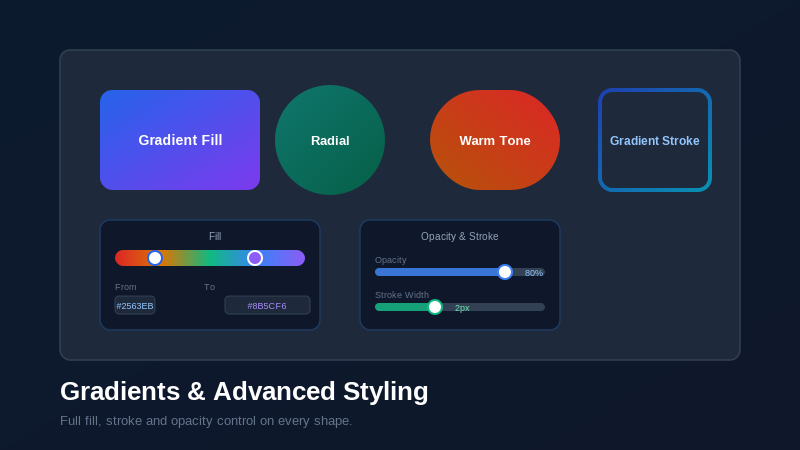
- Style it with the visual tools — apply fills, gradients, strokes, corner radii, shadows, and opacity; the gradient editor produces the same effects that take hand-written
linear-gradient()gymnastics to match - Name the frame — for example, "Pricing Page"; the name helps the export pipeline classify the design
- Click "Export as Website" from the frame's menu
- Review the live preview — the dialog renders the page with your CSS applied, interactively
- Download the ZIP — index.html, styles.css, and script.js — the stylesheet holds every colour, font, spacing value, and effect from your design
The exported styles.css is dependency-free: no frameworks, no preprocessor output, no utility soup. A beginner can read it, and a senior developer won't wince.
What the Exported CSS Actually Contains
The exporter doesn't approximate your design — it measures it:
- Exact colours and gradients — every fill, stroke, and gradient stop from your canvas objects, including multi-stop and angled gradients
- Shadows, borders, and radii — depth effects and corner rounding transfer as real CSS properties, not baked-in images
- Typography — font families, weights, sizes, line heights, and alignment as they appear on your canvas
- Responsive behaviour — the stylesheet is responsive, so the page adapts sensibly rather than locking to fixed pixels
- Positioning and layering — rotation, opacity, and z-order survive the journey, because the pipeline receives a visual snapshot of your frame alongside a full object inventory
Because the CSS is paired with semantic HTML and a script.js that makes drawn controls interactive, the result is a complete, working web page — not a style fragment you still have to wire up.
Let the AI Copilot Design — Then Export the CSS
If blank-canvas design isn't your thing, CollabDraw's AI Copilot agents build detailed, cutting-edge designs directly from a text prompt. Every design is real, editable canvas layers — background bands, cards, buttons, text labels, icons, badges — styled cohesively from the first generation, and every design is export-ready because it lives inside a frame.
Ask for the look you want ("dark analytics dashboard with gold accents and glassy cards", "warm editorial marketplace with serif headings", "playful mobile onboarding in pastel gradients") and the Copilot produces the whole visual system: palette, hierarchy, spacing rhythm, and effects. Then export it as CSS for free.
Things people are building with the AI Copilot, then exporting as CSS-styled pages
- Online marketplaces — product cards with hover states, category chips, filter sidebars, and price badges
- Analytics dashboards — KPI tiles, chart panels, sidebar navigation, and data tables in light or dark themes
- Mobile app screens — onboarding, booking, profile, and settings screens with app-grade styling on phone frames
- SaaS landing pages — gradient heroes, feature grids, pricing tables, and testimonial cards
- Booking and reservation flows — multi-step forms with elevated cards and polished form-field styling
- Portfolio and agency sites — editorial layouts with distinctive typography and image treatments
The loop is: describe it, watch the layered design appear, tweak anything you like on the canvas, and export. The AI Copilot and the code export — HTML, CSS, and JavaScript — are both included in the free tier, and you own the output outright.
CSS Skills Worth Stealing From Your Own Exports
Even if you never plan to write CSS, reading the generated stylesheet is a fast way to absorb how real CSS works:
- See how a gradient you drew becomes a
linear-gradient()declaration - See how corner radii become
border-radiusand drop shadows becomebox-shadow - See how your layout spacing becomes padding and margins — the exact numbers you chose
- See how font choices become
font-familyandfont-weightdeclarations
This "design first, read the styles second" loop builds a durable mental model of CSS faster than tutorials, because every concept maps to something you deliberately created. Many self-taught developers learn exactly this way — from real, working stylesheets rather than isolated exercises.
Real CSS Use Cases You Can Ship Today
Brand-consistent marketing pages
Define your palette and type scale once on the canvas, apply them across every card and section, and export. The generated CSS inherits that consistency — every page variant you produce looks like it came from the same design system, because it did.
Dark mode dashboards and tools
Dark interfaces expose every CSS weakness — contrast, glow, subtle borders. Design yours visually, where contrast problems are visible immediately, then export a stylesheet that gets dark mode right the first time.
Email-ready and print-ready styling
The same visual styling system exports to PNG and PDF for assets beyond the web. One canvas, three output formats: web pages, images, and print-ready documents.
Design handoff without the handoff meeting
Instead of sending developers a static mockup to reinterpret, send the exported CSS and HTML. The stylesheet is the design, measured — not a description of the design that a developer must translate again.
How CollabDraw Compares to Hand-Coding, Bootstrap, and Tailwind
When choosing a free CSS editor, the main alternatives are hand-coding CSS in a text editor (full control, steep learning curve), Bootstrap (prebuilt components that make every site look like Bootstrap), and Tailwind CSS (utility classes that demand fluency before you can be productive). Here's how CollabDraw stands out:
- Truly free: Free accounts get 3 website exports per month and Pro accounts get 20 — no subscription, no credit card
- No framework to learn: Bootstrap and Tailwind both require learning their class systems; CollabDraw requires only your eyes
- Bespoke output: Hand-coding produces bespoke styles eventually; CollabDraw produces bespoke styles immediately, from your own design rather than a component library
- Readable dependency-free CSS: Plain stylesheet output, no utility-class noise, no build step — easy to hand to any developer
- AI Copilot included: Describe the visual style you want and get a fully styled layered design ready to export — free
Key Facts About CollabDraw's Free CSS Editor
- Price: 100% free — free accounts get 3 website exports per month, Pro accounts get 20, no credit card
- Output: styles.css alongside index.html and script.js — exact colours, gradients, shadows, typography, and responsive layout
- Fidelity: Vision-guided reconstruction from a snapshot of your frame plus a full object inventory
- Visual styling tools: Gradients, shadows, strokes, corner radii, opacity, and rotation applied directly on the canvas
- AI Copilot: Included free — builds fully styled marketplaces, dashboards, mobile app screens, and landing pages
- Dependencies: None — no frameworks, no libraries, no external requests
- Preview: Live interactive preview inside the export dialog before you download
- Ownership: The generated stylesheet is yours — use it commercially, no attribution, no watermark
- Account required: No — start designing without signing up
- Best for: Designers who want real CSS, developers who want a styled starting point, marketers, agencies, and students learning how CSS works
The Style Layer Is No Longer a Barrier
CSS went from a simple styling mechanism in 1996 to a deep engineering discipline, and somewhere along the way, styling a web page became something only specialists did. Visual editing with free export reverses that: the people with the best taste — not just the people with the most syntax memorised — can produce real, responsive styles.
Design your page, export the CSS, own the file. CollabDraw keeps the style layer free, plain, and permanently yours.
Open CollabDraw, style your first page, and export it as CSS today — free, no credit card, no code required.