
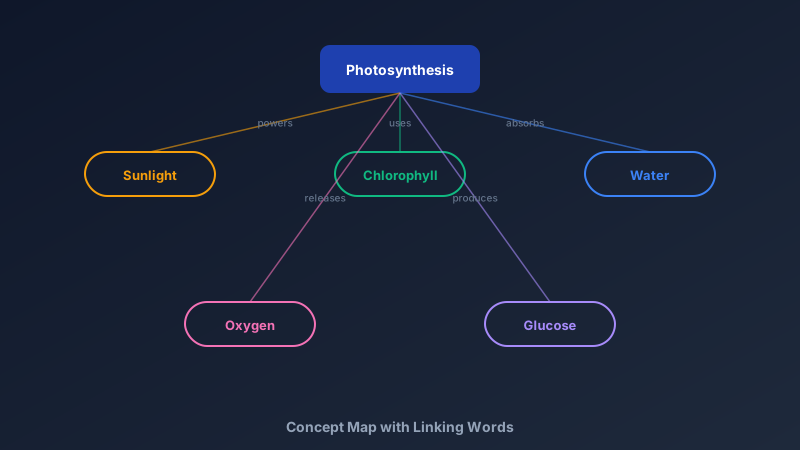
Knowledge Is a Network, Not a List
A free concept map maker is an online tool for drawing ideas as nodes connected by labelled relationships — "photosynthesis produces glucose", not just photosynthesis-next-to-glucose. CollabDraw's free concept map maker gives you nodes, smart connectors, and text labels on every link — with no sign-up required.
The humble linking word is the whole trick. It forces you to state how two ideas relate, which is precisely where shallow understanding falls apart.
Concept Map vs Mind Map: Know the Difference
People use the terms interchangeably. They shouldn't:
- Mind maps: radial — one central idea, branches radiating outward, free-association style. Best for brainstorming and dumping everything you know fast
- Concept maps: network — ideas connect in any direction, every connection carries a labelled relationship. Best for showing genuine understanding of a domain
- The test: can you read a path through the map as a true sentence? If yes, it's a concept map
Build Yours in CollabDraw
- Start with the focus question: "How does X affect Y?" — a map without a question wanders
- Place the key concepts: most inclusive at the top, specifics below
- Connect everything related: smart connectors stay attached when you rearrange
- Label every link: "causes", "requires", "produces", "contradicts" — no naked lines
- Find the cross-links: connections between distant branches are where real insight lives
- Review the sentences: read paths aloud; broken sentences mark broken understanding
Concept Maps for Learning
- Revision: building the map IS the studying — recall beats rereading, decisively
- Essay planning: arguments and evidence laid out as relationships before writing
- Exam prep: one page summarising a whole topic — the ultimate cheat sheet you made yourself
- Teaching: reveal a unit's structure on day one; students see the whole journey
- Assessment: marking a student's concept map reveals misconceptions a quiz never would
Concept Maps for Work
- Research notes: papers, findings, and open questions connected over months
- Onboarding docs: how the system's pieces actually relate — the map new hires wish they had
- Product knowledge: features, users, and problems in one readable web
- Meeting capture: decisions and dependencies mapped live, not buried in minutes
How CollabDraw Compares to Coggle and MindMeister
When choosing a free concept map maker, the main alternatives are Coggle (3 private diagrams free) and MindMeister (limited free maps). Here's how CollabDraw stands out:
- Truly free: No diagram limits — concept maps, mind maps, and diagrams all unlimited
- No sign-up required: Start mapping instantly — Coggle and MindMeister both require accounts
- Labelled connectors: text on every link, the essence of true concept mapping
- Free-form layout: true networks, not forced radial branching
- Real-time co-study: build revision maps together with live cursors
Key Facts About CollabDraw's Free Concept Map Maker
- Price: 100% free — no subscription, no credit card, no watermark
- Nodes: unlimited concepts in any layout — radial or network
- Links: smart connectors with text labels on every relationship
- Collaboration: real-time co-editing with live cursors and comments
- Export formats: PNG, PDF, and SVG — all free
- Account required: No — start without signing up
- Best for: Students, teachers, researchers, writers, and knowledge workers
Let the AI Assistant Design It For You
Prefer to skip the manual setup entirely? CollabDraw's free AI Assistant does the heavy lifting. Tell it what you want to make, and it asks a few quick questions about your idea — purpose, style, content — then builds a fully editable, layered design on your canvas. Every element stays editable, so you can refine the result with the techniques in this guide rather than starting from a blank page.
Start From a Ready-Made Template Instead
CollabDraw also includes a built-in template library — 50 editable templates free without an account, 100 with a free account. Ones that match this guide: the Concept Map, Mind Map, and Hierarchy Tree templates. Open the Templates panel, click one, and it drops onto your canvas fully editable — connected-node layouts ready for your labels and linking words.
Start Mapping Free
You don't need an account to open CollabDraw and connect your first two ideas. No download, no credit card, no sign-up wall.
Students, teachers, and curious minds: understanding is a network — draw yours free on CollabDraw.