
Everyone Has a Story — Comics Are the Fastest Way to Tell It
A free comic strip maker is an online tool for creating comic strips — panel grids, speech bubbles, characters, and captions — exported as images or print-ready files. CollabDraw's free comic strip maker gives you drawing tools, emoji, text control, and panel-friendly frames — with no sign-up required.
Comics teach structure without teaching: beginning, middle, end, one beat per panel. Kids absorb it through play; adults rediscover it through memes.
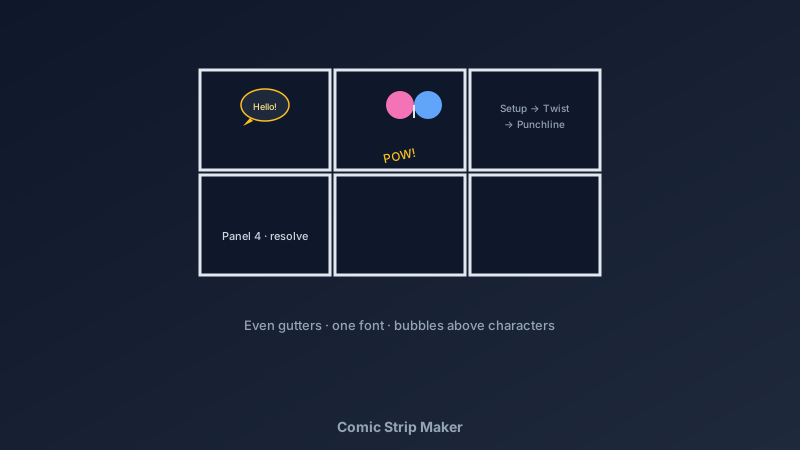
Panels Control the Pace
- Three panels: setup, twist, punchline — the joke format
- Four panels: the storytelling standard — establish, develop, turn, resolve
- Six or more: scene-based stories; keep the grid regular so the eye tracks left-to-right
- Panel size = time spent: a big panel slows the moment down; small panels quicken the pace
- Gutters matter: even spacing between panels keeps the reading order obvious
Build Yours in CollabDraw
- Set the canvas: A4 landscape for a classic strip, or square for social sharing
- Draw the panel grid: rectangles with thick borders — or use frames to group each panel's contents
- Create your characters: draw with the brush tools, or build faces from the emoji and icon libraries
- Add speech bubbles: ellipse shapes with a small triangle tail — keep bubbles above characters and reading left to right
- Letter the dialogue: one consistent font, short lines — comics read in bursts
- Stage the action: move characters and props so the important thing in each panel is also the biggest
- Export: PNG for sharing online, PDF for printing and classroom handouts
Speech Bubbles Done Right
- Round bubbles for speech: the universal default — never reinvent it
- Spiky bubbles for shouting: jagged edges carry volume without a single capital letter
- Cloud bubbles for thoughts: small circles leading to the bubble signal thinking
- Caption boxes for narration: rectangles at the panel top set scene and time
- Sound effects are art: "POW", "slam", "creak" — big, angled, integrated with the drawing
- Trim the words: if a bubble needs four lines, the dialogue needs editing
Comics Beyond Entertainment
- Classroom storytelling: book reports, historical scenes, and science processes as comics — comprehension through creation
- Language learning: dialogue strips practice conversation in context
- Explainer comics: how-to guides and safety instructions that people actually read
- Family keepsakes: a strip about the family holiday beats the photo album for laughs
- Comic-adjacent storyboards: the same panel skills feed video planning — see the storyboard guide
Export and Share
- PNG at 2x: crisp for social media, messaging, and digital portfolios
- PDF for print: full-page strips for classroom walls and fridge doors
- Multi-page projects: longer comics stay organised one page per strip
- Collaborative comics: share an edit link — one person draws, one writes, live
- No watermark: your story, your art
How CollabDraw Compares to Canva and Pixton
When choosing a free comic strip maker, the main alternatives are Canva (freemium — comic assets scattered across paid libraries) and Pixton (character-focused but heavily subscription-gated). Here's how CollabDraw stands out:
- Truly free: Drawing tools, emoji, and export included at no cost
- No sign-up required: Start drawing instantly
- Draw anything: real brush tools mean original characters, not fixed avatar libraries
- Mix art and text freely: every element is a movable, editable object
- Classroom-friendly: collaboration links for group storytelling
Key Facts About CollabDraw's Free Comic Strip Maker
- Price: 100% free — no subscription, no credit card, no watermark
- Panels: Any grid — 3, 4, 6 panels, or custom layouts
- Art tools: Brushes, 5,500+ icons and emoji, shapes, and full text control
- Export formats: PNG (2x), PDF (print) — all free
- Collaboration: Real-time co-creation with shareable edit links
- Account required: No — start without signing up
- Best for: Kids, classrooms, language learners, and anyone with a story to tell
Let the AI Assistant Design It For You
Prefer to skip the manual setup entirely? CollabDraw's free AI Assistant does the heavy lifting. Tell it what you want to make, and it asks a few quick questions about your idea — purpose, style, content — then builds a fully editable, layered design on your canvas. Every element stays editable, so you can refine the result with the techniques in this guide rather than starting from a blank page.
Start From a Ready-Made Template Instead
CollabDraw also includes a built-in template library — 50 editable templates free without an account, 100 with a free account. Ones that match this guide: the Storyboard template adapts directly into comic panels. Open the Templates panel, click one, and it drops onto your canvas fully editable — a panelled layout ready for your story.
Draw Your First Strip Free
You don't need an account to open CollabDraw and start a comic. No download, no credit card, no sign-up wall.
The story in your head deserves panels — free on CollabDraw.