
The Best Party Game Costs Nothing but a Printer
A free bingo card maker is an online tool for designing custom bingo cards — numbered, worded, or image-based grids — for parties, classrooms, and family game nights, exported as print-ready files. CollabDraw's free bingo card maker gives you table grids, icon libraries, and exact-size PDF export — with no sign-up required.
Custom bingo beats the standard game at everything: wedding-shower icebreakers, sight-word practice, road-trip scavenger hunts. Same rules, infinite themes.
Build Your Cards in CollabDraw
- Set the canvas: A4 portrait — one card per page prints and cuts cleanly
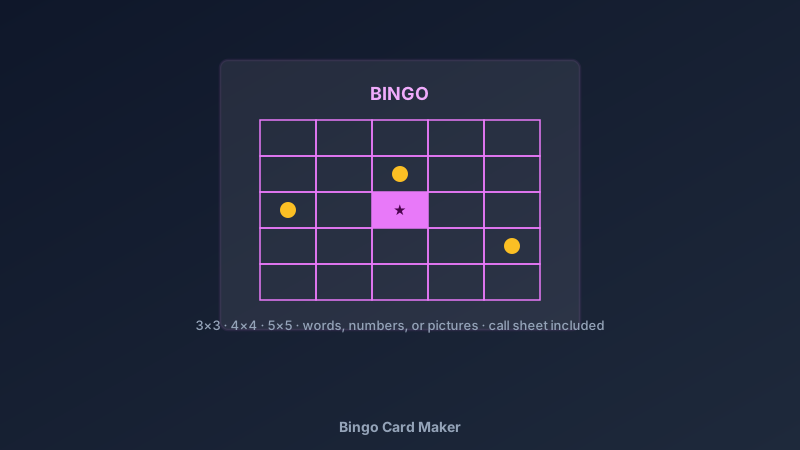
- Create the grid: the table tool builds 3×3 (young kids), 4×4 (parties), or 5×5 (classic) in seconds
- Fill the cells: type numbers, words, or drop icons and emoji for picture bingo
- Add the free square: the centre cell of a 5×5 gets a star or the event logo
- Style the header: game name, theme colours, and small instructions
- Build the call sheet: page two lists every cell value — the caller's checklist
- Randomise per player: duplicate the page, shuffle cell contents, repeat — a unique card each time
- Export the PDF: print, cut, play
Bingo Variations Worth Making
- Picture bingo: icons instead of text — pre-readers play on equal footing; the icon library covers animals, transport, food, weather
- Sight-word bingo: teachers swap numbers for reading-practice words
- Baby shower bingo: gift-prediction squares or "the mum-to-be said…" icebreakers
- Wedding bingo: guest-mingling cards — "find someone who…" squares
- Road-trip bingo: "red car", "windmill", "cows" — the game that saves long journeys
- Maths bingo: call the equation, players mark the answer — practice disguised as play
Running the Game Well
- Print a few spares: someone always arrives late or loses a card
- Laminate for reuse: dry-wipe markers make classroom sets permanent
- Small prizes, big enthusiasm: sticker sheets or bookmark prizes keep the focus on playing
- Vary the win condition: lines, four corners, full house — announce changes between rounds
- Caller's call sheet: the page-two checklist keeps the game fair and fast
Design Choices That Make Cards Playable
- Big cell text: players scan their card from a distance — small type slows the game
- High-contrast markers: bold grid lines so pennies and buttons read as clearly marked
- One theme palette: event colours on header and borders; cells stay neutral for readability
- Icon consistency: picture bingo works when every icon is equally recognisable at cell size
- Card ID in the corner: numbering each card resolves "who had the winning card" disputes
Export Quality for Every Setting
- PDF at exact page size: no scaling surprises between design and printer
- PNG export: for digital bingo on video calls — screen-share the card
- Multi-page projects: the whole set — cards plus call sheet — in one file
- No watermark: your cards, your event
- Reusable template: the saved canvas re-themes for the next event in minutes
How CollabDraw Compares to Bingo Card Generators
When choosing a free bingo card maker, the main alternatives are dedicated bingo-generator sites (ad-heavy with watermarking on free tiers) and Canva (freemium with template limits). Here's how CollabDraw stands out:
- Truly free: Unlimited cards, no watermark, no print limits
- No sign-up required: Start building instantly
- Words, numbers, or pictures: full flexibility in one tool
- 5,500+ icons: picture bingo art included free
- Call sheets included: the second page that dedicated generators often gate
Key Facts About CollabDraw's Free Bingo Card Maker
- Price: 100% free — no subscription, no credit card, no watermark
- Grid sizes: 3×3, 4×4, 5×5, or any custom table layout
- Content types: Numbers, words, and icons — all supported
- Export formats: PDF (print), PNG (digital) — all free
- Account required: No — start without signing up
- Best for: Birthday parties, classrooms, baby showers, weddings, and family nights
Let the AI Assistant Design It For You
Prefer to skip the manual setup entirely? CollabDraw's free AI Assistant does the heavy lifting. Tell it what you want to make, and it asks a few quick questions about your idea — purpose, style, content — then builds a fully editable, layered design on your canvas. Every element stays editable, so you can refine the result with the techniques in this guide rather than starting from a blank page.
Start From a Ready-Made Template Instead
CollabDraw also includes a built-in template library — 50 editable templates free without an account, 100 with a free account. Ones that match this guide: the Worksheet document template — its table-grid structure adapts directly to bingo cards. Open the Templates panel, click one, and it drops onto your canvas fully editable.
Print Your First Set Free
You don't need an account to open CollabDraw and build bingo cards. No download, no credit card, no sign-up wall.
The next party, lesson, or rainy Sunday just found its main event — free on CollabDraw.