
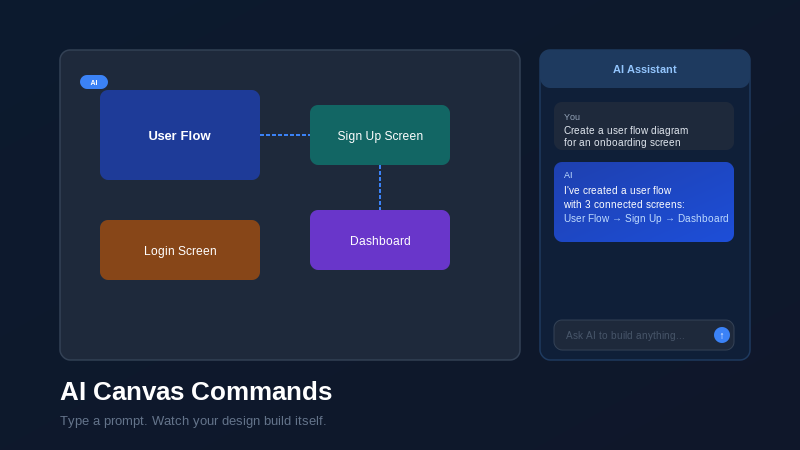
From Sentence to Screen — and the Screen Is Real
An AI UI generator is a tool that produces interface designs from a text description — you type what you want, and the tool generates the screen. CollabDraw's AI UI generator is free, and it differs from most competitors in one decisive way: the output is not a flat image or a locked template. It is a layered design made of real, individually editable canvas objects inside a frame — and it can be exported as working HTML, CSS, and JavaScript with one click.
Describe a marketplace, a dashboard, a mobile app screen, or a booking flow. Answer one quick clarifying question if the Copilot needs one. Watch the layered design appear: background bands, navigation, cards, buttons, text, icons — each a separate object you can move, restyle, retype, or delete.
And because the design lives inside a frame on a real canvas, the next step is already built in: click "Export as Website" and the same design becomes a working, offline-capable site. Free accounts get the AI Copilot plus 3 website exports every month.
What Is an AI UI Generator, Exactly?
An AI UI generator uses a language model to translate a natural-language description into a user interface design — layout, components, colour, and hierarchy. In one sentence you convey what might take an hour to place by hand.
Not all generators produce the same thing, and the difference matters more than the demo videos suggest:
- Image-output generators — produce a picture of a UI. Impressive in a demo, useless in practice: you cannot edit the button, move the card, or export the design as code. You get inspiration, not a product.
- Code-output generators — produce raw code but no visual artefact. Fine for developers, opaque for everyone else, and the result is hard to steer if you cannot read the source.
- Layered-design generators with export — produce a real, object-level design you can edit visually, then convert that design to code on demand. You get both the design and the code, and you can steer both.
CollabDraw is the third kind. The generation is visual, the editing is visual, and the export produces the code. Each layer of the stack stays steerable by the person who had the idea.
How to Generate a UI From Text in CollabDraw
- Open the AI chat and describe the interface — one or two sentences: "A fitness app dashboard with daily activity rings, a workout list, and a bottom navigation bar"
- Answer a quick clarifying question if asked — for example, web or mobile; a one-tap answer keeps the flow moving
- Watch the layered design build itself — every element arrives as an editable canvas object inside a frame
- Refine anything — drag, recolour, retype, or delete layers by hand; or tell the Copilot what to change and let it adjust
- Click "Export as Website" on the frame — the three-stage AI pipeline converts the design into HTML, CSS, and JavaScript
- Preview and download the ZIP — index.html, styles.css, and script.js; open the HTML in any browser and it works offline
What the AI Copilot Can Generate — and Export
The Copilot is not limited to generic landing pages. Because it builds with real UI objects — buttons, inputs, dropdowns, multi-step flows — the exported interfaces carry genuine interactivity. Examples of what people describe and ship:
- Online marketplaces — product grids with filter sidebars, category chips, price badges, seller cards, and a checkout summary
- Analytics dashboards — KPI cards, chart panels, sidebar navigation, and data tables in dark or light themes
- Booking and reservation flows — date pickers, guest selectors, step-by-step forms, and price breakdowns that advance between stages
- Mobile app screens — onboarding, profiles, and settings drawn on phone frames, exported as interactive pages
- SaaS landing pages — gradient heroes, feature grids, pricing tables, FAQ accordions, and testimonials
- Portfolios and agency sites — editorial layouts, project galleries, and contact forms with distinctive typography
Every one of those exports as three plain files you own outright — commercially usable, no attribution, no watermark. The generation is free; the export is free; the code is yours.
Why Editable Layers Change Everything
The AI's first draft is a starting point, not a verdict
Every AI generation is a first draft. With image-output tools, a wrong detail means regenerating and hoping. With layered output, a wrong detail means clicking the object and changing it — the same way you would fix a mistake in any design tool. The AI handles the blank page; you keep the final say.
Steering with words and hands
You can refine by conversation ("make the booking card more prominent") or by hand (select the card, drag it, recolour it). Both paths operate on the same underlying objects, so nothing falls out of sync between what you asked for and what is on the canvas.
Design that is already structured for code
Because the generated UI is built from real objects inside a frame — not painted pixels — the export pipeline already knows every element's position, size, colour, and type. That is why the exported HTML, CSS, and JavaScript faithfully reproduce the design: the design was structured data from the moment it was created.
From UI Idea to Shippable Site in One Session
A realistic session: describe a property-rental booking interface in the morning, spend five minutes nudging the generated layers — a calmer palette, real listing names, a tighter search bar — export the frame, and open a working, offline-capable booking page in the preview dialog. Download the ZIP and it deploys anywhere.
Iteration is cheap. Each refinement costs seconds, not a rebuild, and each export re-produces the design exactly as it currently looks. What you approved on the canvas is what the code delivers.
How CollabDraw Compares to Uizard, v0, and Galileo AI
When choosing an AI UI generator, the main alternatives are Uizard (AI wireframes and mock-ups with subscription pricing for real use), v0 by Vercel (generates React code, aimed at developers, subscription for meaningful usage), and Galileo AI (text-to-UI generation with paid tiers and image-based output). Here's how CollabDraw stands out:
- Truly free: The AI Copilot and 3 monthly website exports are free — no credit card, and the free tier is not a trial
- Editable layers, not pictures: Unlike image-output generators, every generated element is a real object you can move, restyle, or delete
- No framework required to understand the output: The export is plain HTML, CSS, and vanilla JS — readable by a beginner, extendable by a developer
- Design and generation in one canvas: The same workspace handles AI generation, manual editing, collaboration, and export — no round-trips
- Collaboration included: Share the canvas and refine the generated UI together in real time, with comments attached where decisions are needed
Key Facts About CollabDraw's Free AI UI Generator
- Price: 100% free — AI Copilot included; 3 website exports per month on free accounts, 20 on Pro, no credit card
- Input: A plain-English description; optional one-tap answers to clarifying questions
- Output: A layered, fully editable canvas design plus an exportable ZIP — index.html, styles.css, script.js
- Interactivity: Generated buttons, inputs, dropdowns, and multi-step flows become working controls in the export; connectors stay attached during drags
- Offline: Exported UIs run from the file system with no server and no internet connection
- Dependencies: None — no frameworks, no libraries, no external requests
- Preview: Live interactive preview inside the export dialog before download
- Ownership: Full commercial rights to everything you generate and export — no attribution, no watermark
- Account required: No — start prompting without signing up
- Best for: Product managers sketching flows, founders validating interfaces, designers accelerating first drafts, and non-coders who want real, exportable UI
The Blank Screen Problem Is Solved
Interfaces used to start with a blank canvas and end with a handoff meeting. Now they start with a sentence and end with a ZIP file. Describe the UI, edit the layers it produces, and export the working result — free, in one workspace.
Open CollabDraw, describe the interface in your head, and export it today.